Your smart alarm system works brilliantly from your phone — but your phone’s upstairs charging when the alarm triggers at 3am, or your elderly mum is house-sitting and can’t find the app, or you need to arm the system with your hands full of shopping bags. That’s where a physical keypad earns its place. And a panic button? That’s the thing you hope you never need but are grateful exists the night someone tries the back door handle.
Short on time? The Ring Alarm Keypad (2nd Gen) is our best overall — clean design, quick PIN entry, one-touch arm/disarm modes, and a built-in panic button. About £45-50 from Amazon UK or Currys. For related guidance, see our Best Smart Alarm Sensors 2026: Motion, Door & Window guide. For related guidance, see our Smart Alarm Sensors Explained: PIR, Door, Window & More guide.
In This Article
- Why You Still Need a Physical Keypad
- Keypads vs App Control
- Best Smart Alarm Keypads 2026 UK
- Best Panic Buttons 2026 UK
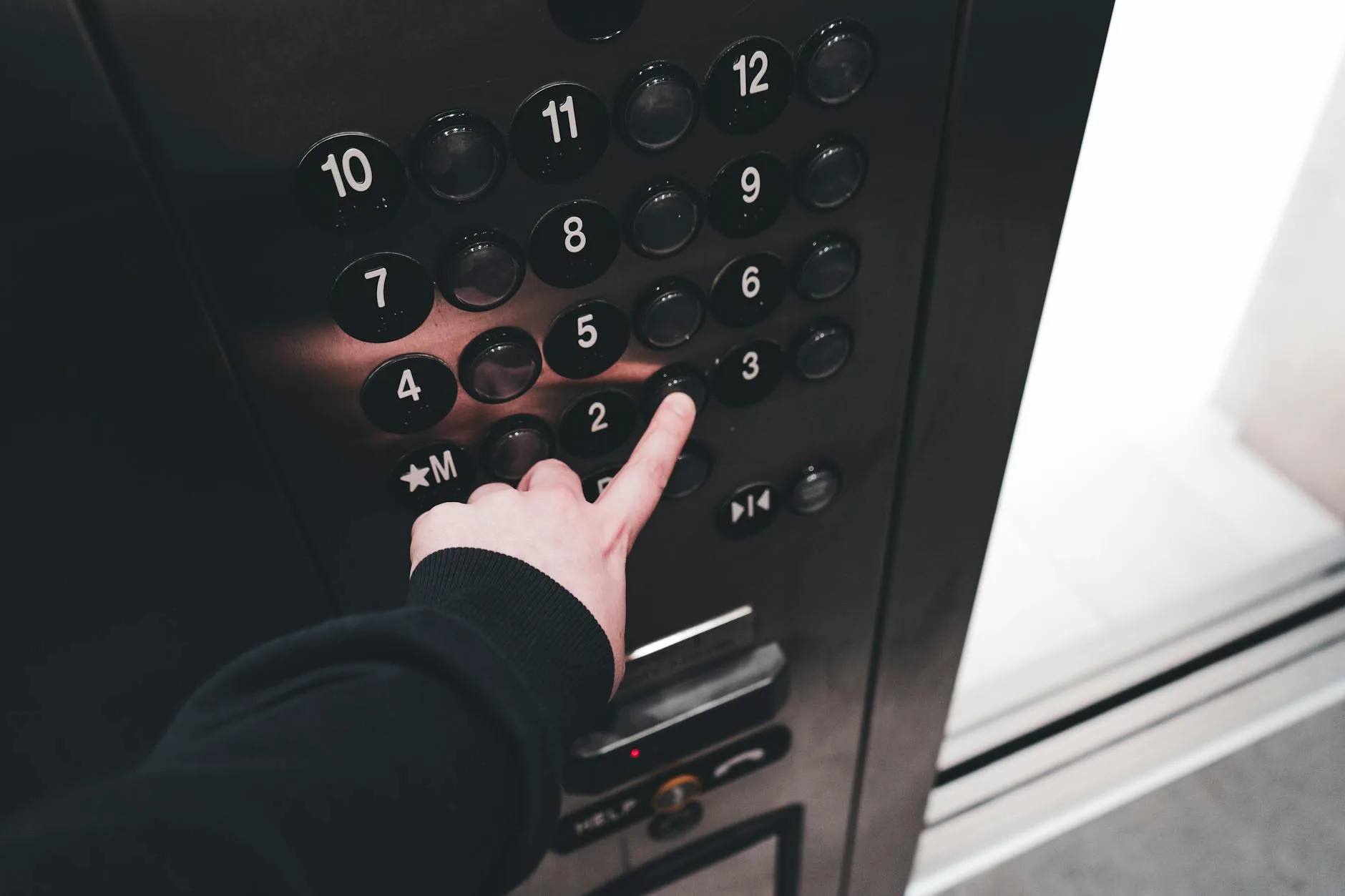
- Where to Install Keypads
- Keypad Features That Actually Matter
- Panic Buttons: How They Work
- Integration with Alarm Systems
- Frequently Asked Questions
Why You Still Need a Physical Keypad
The Phone Problem
Smart alarm apps are great — until they’re not:
- Phone dead or charging — always happens at the worst time
- Phone not in hand — you’re carrying bags, holding a child, or just walked in the door
- Guest/family access — not everyone has the app installed or your WiFi password
- App crashes or updates — technology fails when you need reliability
- Entry/exit delays — fumbling with phone unlock + app + disarm button = 15 stressful seconds with the siren counting down
A keypad by the door gives you a 4-6 digit PIN and one-touch buttons. Walk in, tap the code, done in 2 seconds. No phone required.
The People Problem
Your household isn’t just you:
- Kids — old enough to come home from school, too young for a smartphone
- Elderly parents — can manage a PIN pad, can’t navigate a phone app
- Cleaners and dog walkers — give them a temporary PIN, revoke it anytime
- Partners who hate technology — a PIN pad is muscle memory, an app is a chore
Most smart alarm systems let you create multiple user PINs with different permissions. Assign one per person, track who armed/disarmed and when. If you’ve already set up your alarm system using our DIY installation guide, adding a keypad is the natural next step.
The Reliability Factor
Physical keypads work during internet outages (they communicate directly with the hub via Z-Wave, Zigbee, or proprietary RF). If your broadband drops at 2am, the keypad still disarms the alarm. App-only control? You’re locked out of your own security system.
Keypads vs App Control
What Keypads Do Better
- Speed — 2-second PIN entry vs 10-15 seconds of phone unlock + app loading
- Accessibility — anyone can use a number pad regardless of tech literacy
- Reliability — works without internet, without phone battery, without app updates
- Entry/exit — mounted by the door where you need it most
- Guest access — temporary PINs without sharing app access
What Apps Do Better
- Remote control — arm/disarm from anywhere (work, holiday, bed)
- Notifications — push alerts for triggers, battery warnings, activity logs
- Automation — geo-fencing auto-arm when you leave, schedules
- Camera access — view live feeds alongside alarm controls
- Detailed history — timestamped logs with more detail than keypad events
The Practical Answer
You need both. The keypad handles daily entry/exit (the thing you do multiple times a day). The app handles everything else (remote monitoring, automation, alerts). Neither replaces the other. Think of the keypad as your front door interface and the app as your remote dashboard.
Best Smart Alarm Keypads 2026 UK
Best Overall: Ring Alarm Keypad (2nd Gen)
The Ring keypad is what most people should buy. It’s affordable, reliable, and integrates perfectly with the Ring ecosystem (which is the most popular DIY alarm system in the UK). The backlit number pad is responsive, the mode buttons (Home/Away/Disarmed) are intuitive, and the built-in panic button triggers immediately without a PIN.
- Price: about £45-50 from Amazon UK or Currys
- Compatibility: Ring Alarm system only
- Power: rechargeable battery (6-9 months) or micro-USB wired
- Mounting: tabletop, wall-mount bracket included
- Features: backlit buttons, motion-activated wake, one-touch mode buttons, panic button, adjustable volume
- Connectivity: Z-Wave to Ring hub
After eight months of daily use, the battery still shows 40% — so the 6-9 month estimate seems accurate for twice-daily arm/disarm. The motion-wake feature (screen lights up when you approach) is the kind of small detail that makes daily use pleasant.
Best for Yale: Yale Sync Smart Home Alarm Keypad
If you’re in the Yale ecosystem (common in the UK — they’re sold in Screwfix, B&Q, and Argos), their keypad matches the system’s clean white aesthetic and adds physical control to what’s otherwise app-dependent.
- Price: about £60-70 from Screwfix or Amazon UK
- Compatibility: Yale Sync Smart Home Alarm
- Power: 4× AAA batteries (12+ months)
- Mounting: wall-mount only (included bracket)
- Features: backlit keypad, one-touch arm modes, tamper alert, panic function
- Connectivity: proprietary RF to Yale hub
Yale’s keypad is more expensive than Ring’s but builds into a strong ecosystem with smart security standards and certification. The battery life is excellent — over a year on standard AAAs, which is cheaper than Ring’s proprietary rechargeable.
Best Premium: Ajax KeyPad Plus
If you’re running the Ajax security system (popular with professional installers in the UK), the KeyPad Plus adds contactless card/fob arming alongside PIN entry. Tap your card, system arms — no code needed.
- Price: about £130-150 from authorised Ajax installers
- Compatibility: Ajax Hub/Hub Plus only
- Power: built-in battery (3+ years)
- Mounting: wall-mount with SmartBracket
- Features: PIN + contactless card/fob, DESFire encryption, panic button, tamper protection, LED mode indicators
- Connectivity: Jeweller protocol (868MHz encrypted)
The 3-year battery life is remarkable — and the DESFire contactless system uses bank-card level encryption, so fobs can’t be cloned. Overkill for most homes, but if you’re running Ajax (the system security professionals use for their own homes), this is the matching keypad.
Best Budget: SimpliSafe Keypad
SimpliSafe includes a basic keypad with every system purchase — but you can buy additional keypads for about £30 each. Clean design, PIN entry, and one-touch arm buttons. Nothing fancy, everything functional.
- Price: about £30 (additional keypad)
- Compatibility: SimpliSafe system only
- Power: 4× AA batteries (12 months)
- Mounting: tabletop or wall-mount
- Features: backlit PIN pad, Away/Home/Off buttons, wireless
- Connectivity: proprietary RF
For most UK households on the Ring vs Yale vs SimpliSafe decision, the SimpliSafe keypad is perfectly adequate — just less refined than Ring’s 2nd Gen.
Best Panic Buttons 2026 UK
What Panic Buttons Do
A dedicated panic button triggers your alarm’s siren immediately — no PIN, no delay, no app. Press it, and:
- Siren activates at full volume (to scare intruders and alert neighbours)
- Notification sent to all users via the app
- Monitoring centre alerted (if you have professional monitoring)
- Event logged with timestamp
Some systems differentiate between “burglar panic” (loud siren) and “medical panic” (silent alert to monitoring/contacts, no siren).
Best Panic Button: Ring Panic Button
A single large button that sits on your bedside table or mounts to a wall. One press = siren + alert. No code, no unlocking, no finding your phone.
- Price: about £30 from Amazon UK
- Compatibility: Ring Alarm system
- Power: replaceable CR2032 battery (3+ years)
- Mounting: adhesive wall mount or freestanding
- Trigger: single press (with 5-second cancel window to prevent accidental triggers)
The 5-second cancel window is essential — accidental presses happen (cats, children, rolling over in bed). You hear a countdown beep and can cancel before the siren fires. The battery lasts years because it only communicates when pressed.
Best Wearable Panic: Ajax Button
A tiny keyfob-sized button you can carry on a keyring, lanyard, or in a pocket. Designed for elderly or vulnerable users who might not be near a wall-mounted button.
- Price: about £25-35 from Ajax installers
- Compatibility: Ajax systems only
- Power: built-in battery (5 years)
- Range: 1,300m from hub (outdoors)
- Features: single/double/long press configurable, waterproof, panic + control modes
The range means it works across large properties — even in the garden. Configure single-press for panic, double-press for arm/disarm. Excellent for elderly parents living alone.
Best DIY Option: Aqara Wireless Mini Switch (Zigbee)
If you’re running a Zigbee-based system (SmartThings, Hubitat, or Home Assistant), the Aqara mini switch can be configured as a panic trigger through automation rules:
- Price: about £10-12 from Amazon UK
- Compatibility: any Zigbee hub with automation
- Power: CR2032 battery (2+ years)
- Mounting: adhesive or magnetic
- Features: single/double/long press, tiny form factor
Requires setup through your hub’s automation (press = trigger siren + send notification), but once configured, it works identically to a dedicated panic button at a fraction of the cost.
Where to Install Keypads
Primary Keypad: By the Front Door
This is non-negotiable — the front door is where you arm/disarm daily. Install at:
- Height: 130-150cm (comfortable for adults, reachable for older children)
- Position: inside, on the wall beside the front door (not visible through glazed panels)
- Distance from door: within arm’s reach of the entry point
- Lighting: ensure the area is lit (or choose a backlit keypad)
Secondary Keypad Locations
If your system supports multiple keypads (most do — Ring supports up to 4):
- Master bedroom — arm “Home” mode from bed without going downstairs
- Back door — if you use a rear entrance regularly (garden access)
- Garage internal door — if you enter the house from the garage
Where NOT to Install
- Outside — keypads belong indoors (weather damage + visible to burglars means they can see your code)
- Near windows — someone could see you enter the PIN from outside
- Too high/too low — inaccessible heights mean you won’t use it consistently
- In a cupboard — sounds obvious but people hide them for aesthetics, defeating the purpose
Keypad Features That Actually Matter
Backlit Buttons
Essential. You’ll use this at night, in the dark, half-asleep. If the buttons don’t light up, you’re fumbling. Most modern keypads have motion-activated illumination — they light up when you approach.
One-Touch Mode Buttons
Dedicated buttons for “Away” (full arm), “Home” (perimeter only), and “Disarm” save time versus entering a code and then selecting a mode. The best keypads let you press one button + PIN = armed in that mode.
Tamper Alert
If someone tries to remove or break the keypad, the system triggers an alert. Essential for wall-mounted installations — without tamper protection, an intruder could rip the keypad off the wall and prevent you disarming.
Multiple User PINs
Create unique codes for each household member. Benefits:
- Track who armed/disarmed and when (in the app history)
- Temporary codes for guests, cleaners, dog walkers
- Revoke access without changing everyone’s code (just delete that PIN)
- Duress code — some systems support a “panic PIN” that silently alerts monitoring while appearing to disarm normally
Audio Feedback
Beeps confirming button presses, arming confirmation tones, and entry/exit countdown sounds. Surprisingly important for daily usability — silent keypads leave you uncertain whether your press registered. For a full overview of how keypads fit into your wider alarm system, see our guide to choosing a smart alarm system.
Panic Buttons: How They Work
Trigger Methods
- Single press — most common, simplest
- Press and hold (3 seconds) — prevents accidental triggers
- Double press — less common, harder to trigger accidentally
- Duress PIN on keypad — entering a specific code that appears to disarm but silently alerts monitoring
What Happens When Pressed
The sequence depends on your system and monitoring level:
Self-monitored (no professional monitoring):
- Siren activates immediately
- Push notification sent to all registered phones
- Event logged with timestamp
- You call police yourself if needed
Professionally monitored:
- Siren activates (or silent, depending on panic type)
- Monitoring centre receives alert within seconds
- Centre attempts to contact you (verify it’s real)
- If no contact or you confirm emergency: police dispatched
- According to the SSAIB (Security Systems and Alarms Inspection Board), professionally monitored and SSAIB-certified systems receive priority police response
Reducing False Alarms
False panic triggers waste police time and — after repeated offences — can result in your system being downgraded. Prevent them with:
- Cancel windows — 5-10 second delay before full trigger
- Placement — keep buttons away from children’s reach and pets
- Guard covers — clear plastic covers that flip open (prevent accidental presses)
- Long-press configuration — 3-second hold requirement
Integration with Alarm Systems
Ring Ecosystem
- Keypads: Ring Alarm Keypad (2nd Gen) — up to 4 per system
- Panic: Ring Panic Button, or hold the keypad’s panic button
- Hub: Ring Alarm Base Station
- Monitoring: Ring Protect Plus (£10/month optional)
- Extras: integrates with Ring cameras, video doorbell, Alexa
Yale Ecosystem
- Keypads: Yale Sync Keypad — up to 2 per system
- Panic: built into the keypad (no standalone button)
- Hub: Yale Sync Smart Home Alarm hub
- Monitoring: Yale Smart Living subscription (optional)
- Extras: integrates with Philips Hue, Yale smart locks
SimpliSafe Ecosystem
- Keypads: SimpliSafe Keypad — up to 4 per system
- Panic: SimpliSafe Panic Button (wearable pendant or wall-mount)
- Hub: SimpliSafe Base Station
- Monitoring: SimpliSafe monitoring (from £13/month)
- Extras: integrates with Alexa, Google Assistant
Ajax Ecosystem
- Keypads: KeyPad, KeyPad Plus (contactless), KeyPad TouchScreen
- Panic: Ajax Button (keyfob), DoubleButton (confirm-press), built-in keypad panic
- Hub: Ajax Hub 2/Hub 2 Plus
- Monitoring: professional monitoring via installer
- Extras: Ajax cameras, MotionCam sensors, smoke/flood detectors
For a full comparison of these ecosystems, our Ring vs Yale vs SimpliSafe guide covers pricing, features, and monitoring options in detail.
Frequently Asked Questions
Do I need a keypad if I have a smart alarm app? You don’t strictly need one, but daily life is much easier with a keypad by the door. The 2-second PIN entry vs 15-second app fumble adds up over hundreds of daily arm/disarm cycles. Keypads also provide access for guests, children, and anyone who can’t or won’t use the app.
Can burglars bypass a smart alarm keypad? Modern keypads use encrypted wireless communication (Z-Wave, Zigbee, or proprietary). They can’t be bypassed by jamming or code-grabbing in the way old wired keypads could be. Physical removal triggers a tamper alert. The main vulnerability is someone watching you enter your PIN (shoulder-surfing) — which is why placement away from windows matters.
How many keypads do I need? Most households need 1-2. One by the front door (essential), optionally one in the master bedroom for night-time Home mode arming. If you regularly use a back door or garage entrance, add a third there. More than 3 is unusual for residential use.
What’s the difference between a panic button and calling 999? A panic button triggers your alarm siren immediately (deterrent effect) and alerts your monitoring service simultaneously. Calling 999 involves finding your phone, dialling, waiting for connection, and explaining your situation. In a genuine emergency, the panic button is faster and triggers the siren that might scare off an intruder before police arrive.
Are alarm keypads battery or mains powered? Most smart alarm keypads are battery-powered (lasting 6-24 months depending on the brand). This means no wiring and flexible placement. Some offer optional USB power for permanent installations where you don’t want to change batteries. Ring’s keypad can run on battery or micro-USB continuously.