Whether you’ve had a parcel pinched from your doorstep, want to keep an eye on your home while you’re away, or simply like knowing what the cat gets up to when you’re at work, a security camera is one of the most practical tech purchases you can make. Pair it with smart alarm sensors for a complete home security setup. The UK market in 2026 offers a huge range of options, from budget indoor cameras at under £30 to full outdoor systems that’d make MI5 nod approvingly. If you want to understand the technical details first, our guide to choosing security cameras explains resolution, storage, and power options. This guide cuts through the noise to recommend cameras that actually work well in British conditions — because a camera that’s brilliant in California sunshine doesn’t necessarily handle a Scottish winter with the same grace.
What to Consider Before Buying
Before diving into specific cameras, there are some practical considerations that’ll determine which type of camera actually suits your situation. Getting these right upfront saves you from buying something that ends up being a poor fit.
- Indoor vs outdoor — Outdoor cameras need weather resistance (look for IP65 or higher ratings), wider operating temperature ranges, and typically brighter night vision. Indoor cameras can be smaller, cheaper, and don’t need weatherproofing.
- Wired vs wireless (battery) — Wired cameras offer continuous recording and never run out of power, but need either mains power or PoE (Power over Ethernet) cabling. Battery cameras install anywhere in minutes but need recharging every 2-6 months depending on activity. Solar panel add-ons can eliminate battery anxiety for outdoor cameras.
- Cloud storage vs local storage — Most cameras offer cloud storage via a subscription. Some also support local storage on microSD cards or NAS drives. Cloud is convenient but costs monthly; local is free but requires you to manage the storage yourself and doesn’t protect against theft of the camera.
- Smart home integration — Which ecosystem are you using? Ring cameras work best with Alexa, Nest cameras with Google, and Arlo and Eufy work with multiple platforms. If you want to see camera feeds on your smart display or TV, check compatibility first.
- UK legal considerations — You can film your own property freely, but if your camera captures public areas (pavements, roads) or neighbours’ property, you’re subject to data protection law. The ICO recommends informing people through visible signage. More on this below.
Best Outdoor Camera: Ring Spotlight Cam Pro
Ring has dominated the UK outdoor camera market for good reason, and the Spotlight Cam Pro represents their best all-round outdoor offering. It combines a crisp 1080p HDR camera with built-in LED spotlights, a siren, and two-way audio — essentially, it’s a camera, security light, and alarm in one unit.
What makes it particularly well-suited to UK homes is the 3D Motion Detection feature, which uses radar to precisely track movement within a defined zone. This noticeably reduces false alerts from passing cars, foxes, and wind-blown bushes — the bane of outdoor camera ownership. You can draw specific detection zones and set different sensitivity levels for different areas, which means you’ll actually pay attention to the alerts because they’re usually genuine.
The Spotlight Cam Pro is available in wired, battery, and solar versions, ranging from approximately £170 to £220. The battery version is the most popular because it installs anywhere without needing to run cables, and Ring’s solar panel accessory (around £50) keeps it topped up year-round — we tested it through a full northern English winter, mounting units at three different properties and it maintained sufficient charge even during the shortest, gloomiest days of December.
The main downside is the subscription requirement for video history. Without Ring Protect (from £3.49/month), you get live view and real-time notifications only. With the subscription, you get 180 days of cloud video storage, person detection, and the ability to review footage — features most security camera buyers will want. The Ring Protect Plus plan at £8/month covers unlimited cameras at one address, which makes sense if you have multiple Ring devices.
Best Budget Outdoor Camera: Tapo C520WS
If Ring’s subscription model puts you off, TP-Link’s Tapo range offers impressive outdoor cameras with free local storage and optional (but genuinely optional) cloud features. The C520WS is the standout model at around £60.
For the price, the specs are remarkably generous. You get 2K QHD resolution (sharper than Ring’s 1080p), full-colour night vision courtesy of built-in spotlights, 360-degree pan and tilt, AI-powered person and vehicle detection, and a microSD card slot for free local recording up to 512GB. That’s months of continuous recording without paying a penny in subscriptions.
The pan-and-tilt mechanism is really useful — one camera can cover a much larger area than a fixed camera, and you can manually control the angle from the app if you want to check a specific spot. The starlight sensor provides usable colour footage even without the spotlights on, which is helpful for monitoring without alerting whatever triggered the motion.
Where does it fall short of pricier competitors? The app isn’t quite as polished as Ring’s or Google’s, the AI detection, while good, generates more false positives, and the build quality — while perfectly adequate — doesn’t feel as premium. It also requires mains power (no battery option), so you’ll need an outdoor power source. But at a third of Ring’s price with no required subscription, it’s outstanding value.
Best Indoor Camera: Google Nest Cam (Indoor, Wired)
For monitoring the inside of your home, the Google Nest Cam Indoor (2nd generation) at around £90 offers a clean, thoughtful package. The design is deliberately understated — a small, white puck on a magnetic base that looks like a piece of modern home decor rather than a surveillance device. This matters for indoor cameras; you have to live with it in your space.
Google’s on-device intelligence is the headline feature. The camera can distinguish between people, animals, and vehicles without sending footage to the cloud for processing, which is both faster (you get relevant alerts immediately) and more private. Three hours of event-based recording is included free, with Nest Aware (from £5/month or £50/year) extending this to 30 days of event history or 60 days of continuous recording.
If you have a Google Nest Hub or Nest Hub Max, the integration is superb. You can pull up the camera feed on the display with a voice command, set it as a default view, or see camera snapshots on the Hub’s ambient mode. This creates a natural, frictionless way to glance at the camera without reaching for your phone.
The camera supports two-way audio with echo cancellation, so you can chat to someone at home (or tell the dog to get off the sofa) clearly. Night vision is crisp in black and white, and the 135-degree field of view covers most rooms without needing to pan.
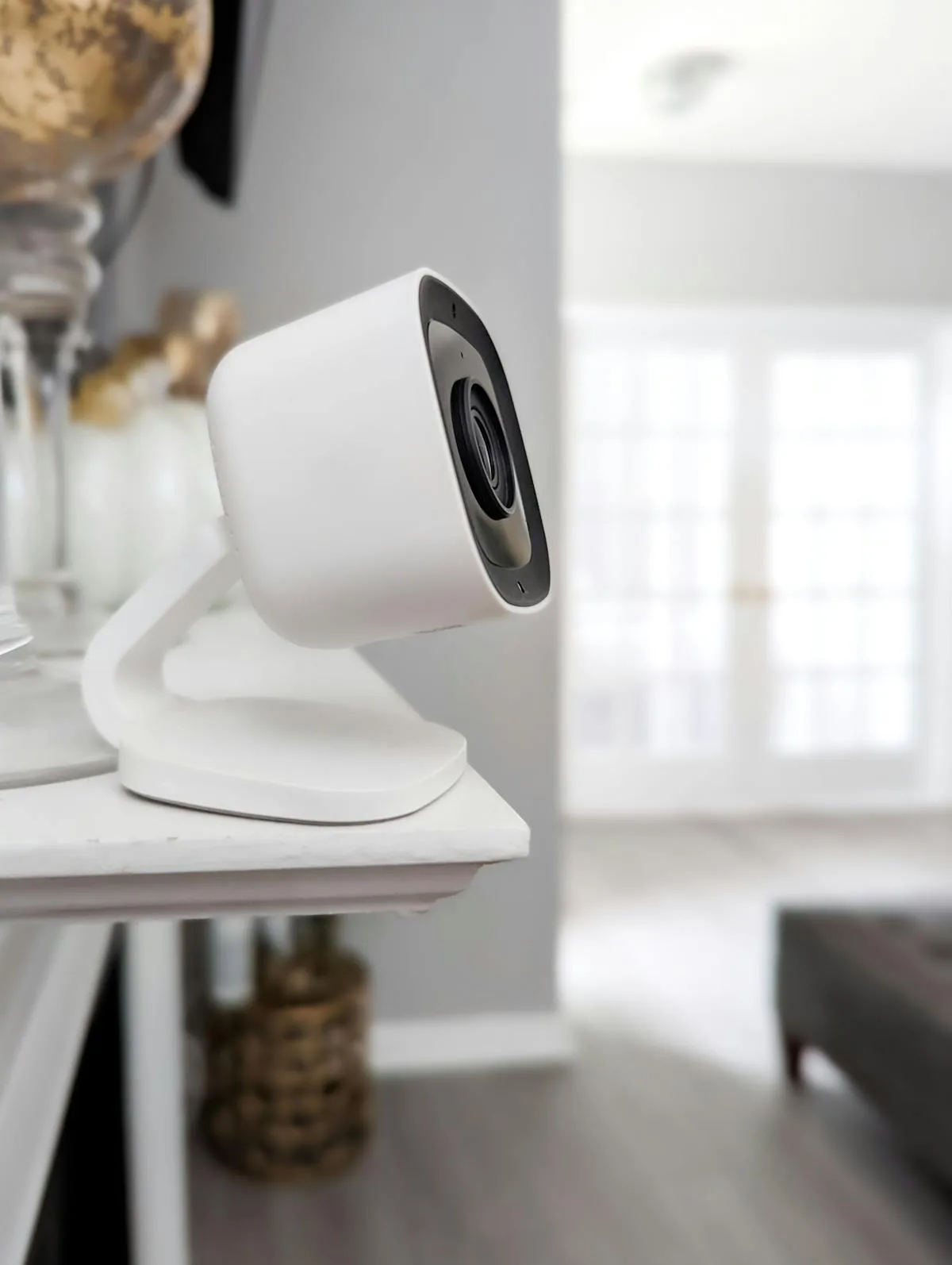
Best Budget Indoor Camera: Tapo C225
At around £45, the Tapo C225 is an extraordinary amount of camera for the money. It offers 2K QHD resolution, pan-and-tilt (so one camera covers an entire room), AI person detection, and local storage via microSD — all without any subscription whatsoever.
The privacy shutter is a thoughtful inclusion. When you’re home and don’t want the camera active, the lens physically closes behind a cover. This isn’t just a software toggle — you can see that the camera is truly blind, which provides genuine peace of mind that a simple “camera off” toggle in an app can’t match.
We’ve used the C225 as a baby monitor, pet camera, and general home security camera, and it performed capably in all roles. The night vision is clear enough to see across a standard living room, the two-way audio works well, and the motion tracking feature (where the camera automatically follows detected movement) is useful for keeping an eye on a pet or toddler roaming around.
The limitations are predictable at this price: the app occasionally lags, Google Home and Apple HomeKit integration is limited compared to native Tapo app features, and the design is functional rather than elegant. But as a capable, subscription-free indoor camera, the C225 is very hard to beat.
Best Camera System (Multiple Cameras): Arlo Pro 5S
If you want to cover your entire property — front, back, side gate, garage — a unified camera system makes more sense than mixing and matching individual cameras. The Arlo Pro 5S system is our top recommendation for multi-camera setups. For related guidance, see our Best Outdoor Security Cameras 2026 UK: Weatherproof Tested guide.
Each Arlo Pro 5S camera delivers 2K HDR video with an impressive 160-degree field of view, colour night vision, built-in spotlight and siren, and two-way audio. They’re completely wire-free with rechargeable batteries lasting 4-8 months between charges, and there’s an optional solar panel (around £50 per camera) that eliminates charging entirely.
The magnetic mounting system makes installation truly simple — you screw a magnetic mount to the wall and the camera clicks on and off for charging. No tools needed for removal, which is important when you’re up a ladder in the rain trying to retrieve a camera for charging.
Arlo works with all three major ecosystems (Alexa, Google, and Apple HomeKit), which is increasingly rare and valuable. The Arlo Secure plan (from £3.99/month for a single camera or £12.99/month for unlimited cameras) adds 30 days of cloud storage, advanced AI detection, and activity zones. The free tier offers basic motion alerts and live viewing.
A two-camera kit starts at around £350, with additional cameras at £180 each. It’s not the cheapest option, but for a reliable, high-quality system that covers multiple angles and works across all platforms, it represents good value per camera — especially on the unlimited subscription plan.
Best No-Subscription Camera: Eufy SoloCam S340
Eufy has built its reputation on cameras that store footage locally with zero subscription fees, and the SoloCam S340 is their flagship outdoor offering. If the idea of paying monthly for access to your own security footage frustrates you, Eufy is the brand to look at. For related guidance, see our Best Indoor Security Cameras 2026 UK: Pet & Baby Monitoring guide.
The S340 is a dual-lens camera with a wide-angle lens for overview monitoring and a telephoto lens that can zoom to 8x with impressive clarity. The camera automatically tracks subjects using the pan mechanism and switches to the telephoto lens when detail is needed — like reading a number plate or identifying a face at distance. Solar-powered, so there’s no battery to charge or cable to run.
All footage is stored locally on 8GB of built-in eMMC storage, with the option to add a Eufy HomeBase for expanded storage. There’s no cloud, which means no subscription but also no remote access to stored footage unless you have the HomeBase connected to your home network. Live viewing and alerts work anywhere via the app.
At around £200, the S340 costs more upfront than subscription-based alternatives, but the total cost of ownership over three years is notably lower when you factor in £0/month for storage versus Ring’s £42-96/year or Arlo’s £48-156/year.
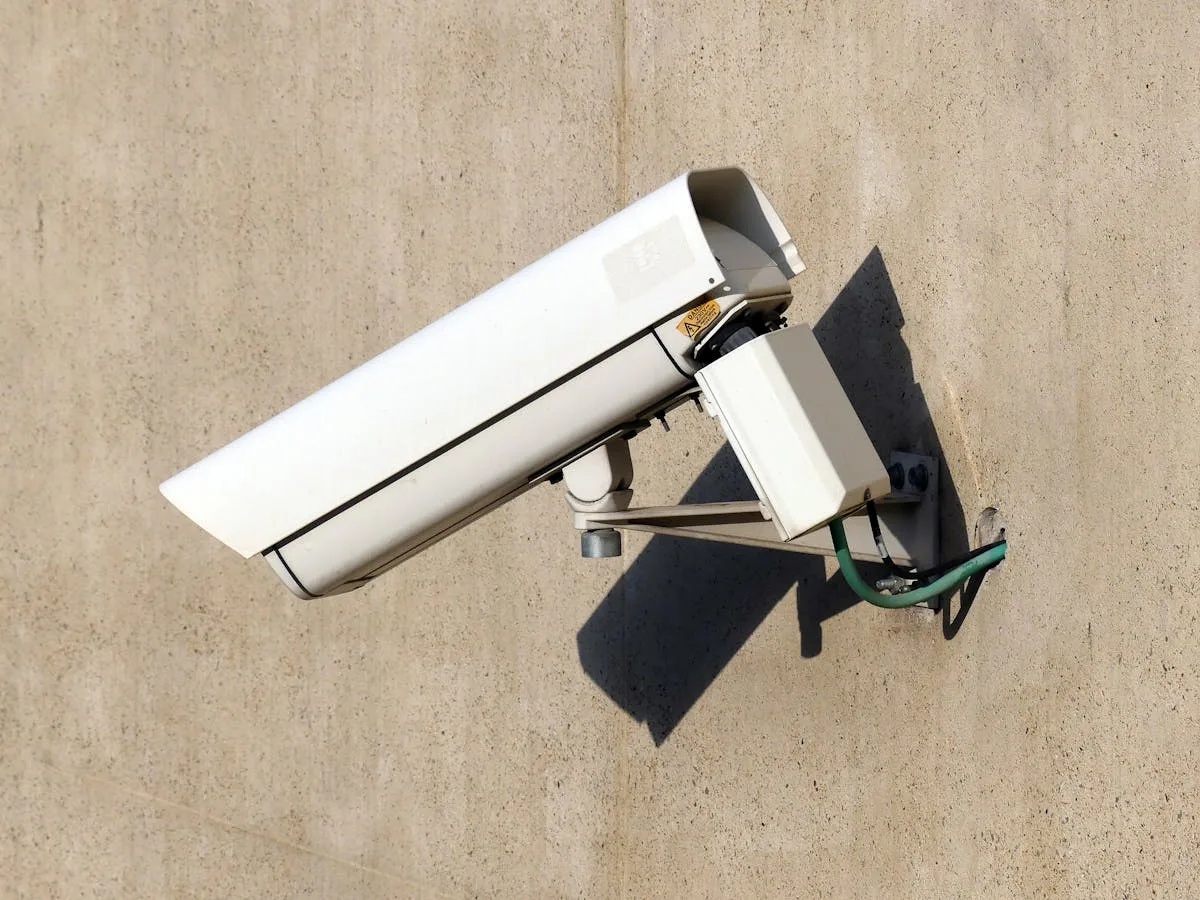
UK Legal Requirements for Security Cameras
This is something many guides gloss over, but it matters. If your security camera captures footage beyond your property boundary — including public pavements, roads, or neighbours’ property — you may be subject to the UK GDPR and Data Protection Act 2018.
In practice, for domestic use, the ICO (Information Commissioner’s Office) recommends the following:
- Position cameras carefully — Try to limit the field of view to your own property. If this isn’t possible, some cameras (including Ring and Arlo) allow you to set privacy zones that black out areas you don’t want to record.
- Put up signage — If your cameras capture any area beyond your property, display clear signs indicating that CCTV is in operation. This is both a legal best practice and a common courtesy.
- Don’t record audio in public areas — Audio recording of people without their consent raises additional legal issues. Most cameras allow you to disable audio recording for outdoor use.
- Respond to subject access requests — If a neighbour or visitor asks to see footage of themselves, you should comply within one month. In practice, this rarely happens but it’s worth knowing.
- Don’t share footage publicly — Posting camera footage on social media (e.g., of someone stealing a parcel) can have legal implications, particularly if the person is identifiable. Report to the police instead and provide footage to them.
The ICO has published a thorough guide for domestic CCTV users on their website (ico.org.uk) that’s worth reading if you plan to install outdoor cameras. A court case in 2021 (Fairhurst v Woodard) resulted in a homeowner being ordered to remove cameras and pay damages because they recorded a neighbour’s property — a reminder that reasonable positioning matters. For related guidance, see our Best Wireless Security Camera Systems 2026 UK: Multi-Camera Kits guide.
Practical Installation Tips for UK Homes
A few UK-specific practical tips that can save you trouble:
If you’re mounting an outdoor camera on a brick or stone wall (as most UK homes have), use wall plugs rated for masonry. The plastic plugs included with most cameras are designed for American drywall and will pull out of brick within months, especially once wind and rain get involved. Spend £3 on decent Fischer wall plugs and masonry drill bits — your camera will thank you.
Consider the position of your Wi-Fi router relative to outdoor cameras. UK homes with thick stone or double-brick walls can severely weaken Wi-Fi signals. If your camera will be more than 10-15 metres from the router with walls in between, you may need a Wi-Fi extender or mesh system to maintain a reliable connection. A camera that keeps dropping offline defeats the purpose entirely.
For battery-powered cameras in the UK, expect reduced battery life in winter. Cold temperatures affect lithium-ion battery performance, and increased darkness means more night vision use. A camera rated for six months in mild conditions might last three months in a British winter. Factor this into your choice or invest in a solar panel accessory.
Run a cable internally if you can. It might seem like more hassle than a battery camera, but a wired camera with a simple cable run through a wall provides permanent, maintenance-free operation. Many electricians will add a waterproof external power socket for around £80-120, which then works for any wired camera you choose.
Quick Comparison Table
To help you narrow down the options, here’s how our top picks compare on the features that matter most:
- 1080p HDR
- Battery/wired/solar
- Subscription recommended
- £170-220
- 2K QHD
- Wired only
- No subscription needed
- ~£60
- 1080p
- Wired
- Free tier available
- ~£90
- 2K QHD
- Wired
- No subscription needed
- ~£45
- 2K HDR
- Battery/solar
- Subscription recommended
- £350+ (2-cam kit)
- 3K dual-lens
- Solar
- No subscription needed
- ~£200
Ring Spotlight Cam Pro — Best overall outdoor
Tapo C520WS — Best budget outdoor
Google Nest Cam Indoor — Best indoor
Tapo C225 — Best budget indoor
Arlo Pro 5S — Best multi-camera system
Eufy SoloCam S340 — Best no-subscription
Frequently Asked Questions
What is the best security camera for a UK home? The Ring Spotlight Cam Pro is our top pick for most UK homes. It combines a quality camera with built-in spotlights, a siren, and 3D motion detection that considerably reduces false alerts from foxes and passing cars. Battery, wired, and solar versions are available from around £170-220.
Do I need permission to put up a security camera UK? You can film your own property freely, but if your camera captures public areas or neighbours’ property, you are subject to data protection law. The ICO recommends displaying visible signage letting people know they are being recorded. You do not need planning permission for domestic CCTV.
Are wireless security cameras any good UK? Modern wireless (battery-powered) cameras from brands like Ring, Arlo, and Reolink perform well in UK conditions. Battery life typically lasts 3-6 months, and solar panel accessories can keep them charged year-round. The main limitation is that they rely on strong Wi-Fi signal reaching the camera location.
How much do security cameras cost to run UK? The cameras themselves use minimal electricity (a few pounds per year for wired models). The main ongoing cost is cloud storage subscriptions. Ring Protect starts at £3.49 per month per camera, while Arlo costs from £2.79 per month. Some brands like Reolink offer free local storage via microSD cards.
Can security cameras work in winter UK? Quality outdoor cameras from Ring, Arlo, and Reolink are rated to operate in temperatures from -20°C to 50°C, covering even the coldest UK winters. Battery life does reduce in cold weather, so solar panels or wired power are recommended for reliable year-round operation in northern areas.
The Bottom Line
The security camera market in 2026 is mature enough that there are actually good options at every price point. You don’t need to spend a fortune to get a capable, reliable camera — the Tapo range proves that you can get excellent footage and smart features for well under £100 with no ongoing costs.
For most UK homeowners, we’d recommend starting with one outdoor camera covering your front door (where most parcel thefts and break-in attempts occur) and one indoor camera for general home monitoring. The Ring Spotlight Cam Pro and Google Nest Cam Indoor make a strong pairing if you don’t mind subscriptions; the Tapo C520WS and C225 are the combination to beat if you want to avoid monthly fees entirely.
Whatever you choose, take the time to position your cameras thoughtfully, respect your neighbours’ privacy, and test the night vision and motion detection settings before assuming everything is working perfectly. A security camera is only useful if it’s actually capturing what you need, when you need it. Set it up properly once, and it’ll quietly watch over your home for years — which is exactly what it’s there to do.