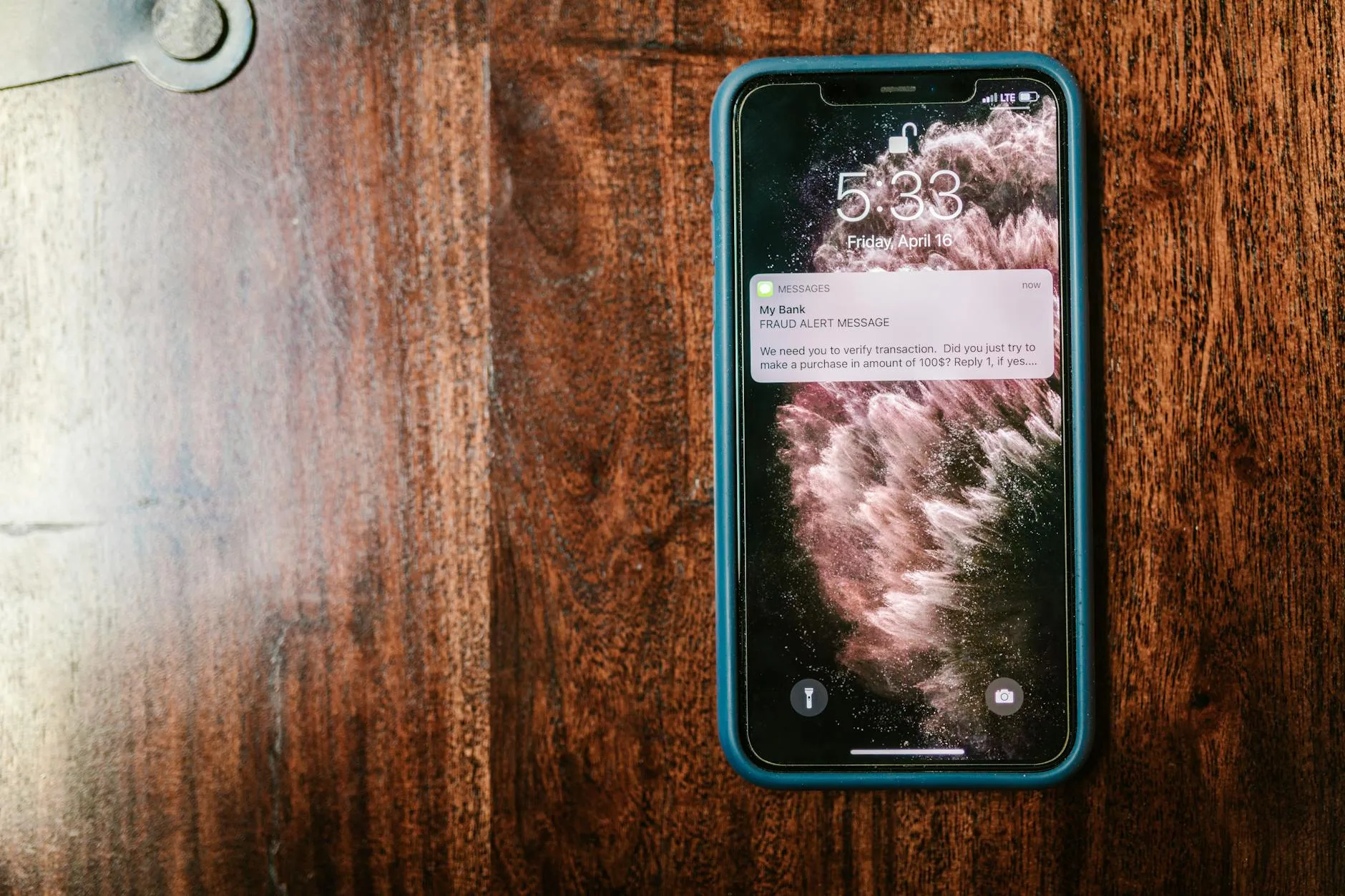
It’s 2am, your phone lights up with an alert from your smart alarm system, and your heart rate doubles before your brain has fully woken up. Is someone breaking in? Did the cat knock something over? Has a sensor glitched? What actually happens in the next 30 seconds — and what you’re supposed to do — depends entirely on how your alarm monitoring is set up.
In This Article
- What Alarm Monitoring Actually Means
- Self-Monitored vs Professionally Monitored
- What Happens When a Self-Monitored Alarm Triggers
- What Happens When a Professionally Monitored Alarm Triggers
- The Alarm Response Chain Step by Step
- False Alarms: Why They Happen and What to Do
- Police Response to Alarm Activations in the UK
- Keyholder Responsibilities
- How to Reduce False Alarms
- Choosing the Right Monitoring Level
- Frequently Asked Questions
What Alarm Monitoring Actually Means
Alarm monitoring is what happens after a sensor detects something. The sensor itself — whether it’s a PIR motion detector, door contact, or window sensor — only does one job: it notices a change and sends a signal. What happens with that signal is the monitoring part.
At its simplest, monitoring means your phone gets a notification. At the other end, it means a team of trained operators in a 24/7 alarm receiving centre (ARC) see the alert, verify it, and dispatch either a keyholder or the police to your property.
Most smart alarm systems offer a choice between self-monitoring (free, you handle everything) and professional monitoring (paid subscription, an ARC handles the response). Some systems offer both tiers, letting you self-monitor most of the time and switch to professional monitoring when you’re away on holiday or want extra peace of mind.
Self-Monitored vs Professionally Monitored
Self-Monitored
You receive all alerts directly on your phone via the alarm manufacturer’s app. When a sensor triggers, you see a notification, check the camera feed (if you have cameras), and decide what to do. There’s no middleman — it’s entirely on you to respond.
- Cost: Free (included with the alarm system)
- Response time: Depends on whether you see your phone. If you’re in a meeting, driving, or asleep with your phone on silent, you might not notice for minutes or hours
- Action: You call a neighbour, check your security camera footage remotely, or call 999 yourself
- Best for: Budget-conscious households, people who are usually home or nearby, supplementary security alongside other measures
Professionally Monitored
An alarm receiving centre (ARC) monitors your system 24/7. When a sensor triggers, the alert goes to the ARC simultaneously with (or instead of) your phone. Trained operators follow a set response protocol — verifying the alarm, contacting keyholders, and potentially dispatching police.
- Cost: £10-30 per month depending on the provider and response level
- Response time: ARCs aim to verify and respond within 60-180 seconds of an alarm activation
- Action: The ARC follows a pre-agreed response plan without needing your input
- Best for: Holiday homes, frequent travellers, high-value properties, anyone who wants the reassurance that someone is always watching
What Happens When a Self-Monitored Alarm Triggers
The sequence for a typical self-monitored smart alarm like Ring, SimpliSafe, or a DIY alarm kit:
- Sensor activates — a door opens, motion is detected, or a window contact breaks
- Entry delay starts (if armed in Away mode with an entry zone) — you typically get 30-60 seconds to disarm before the siren sounds. This delay only applies to designated entry points (usually the front door). Sensors on windows or non-entry doors trigger the siren immediately
- Siren sounds — the base station or external siren activates at 85-104 dB. The purpose is to deter the intruder and alert neighbours
- Push notification sent — your phone receives an alert via the alarm app. If you have multiple family members on the account, all linked phones get the alert
- You assess the situation — check camera feeds, call a neighbour to look, or decide if it’s a false alarm. If you have a video doorbell, check that too
- You take action — disarm remotely if it’s a false alarm, call 999 if you believe someone is in your home, or contact your keyholder if you’re away
The gap between steps 4 and 6 is where self-monitoring falls down. If you’re unreachable — phone dead, no signal, fast asleep — the siren goes off and nobody responds. An intruder who ignores the noise (and many do, because neighbours assume alarms are always false) has free run of your home.
What Happens When a Professionally Monitored Alarm Triggers
The process for a professionally monitored system like ADT, Verisure, or Yale with a monitoring subscription:
- Sensor activates — same as self-monitored
- Entry delay — same window to disarm
- Signal sent to ARC — the alarm system transmits an activation signal to the alarm receiving centre via broadband, mobile network (4G/5G backup), or both. Dual-path signalling (broadband + cellular) is more reliable and required for police-response-grade monitoring
- ARC operator receives the alert — within seconds of the siren sounding, a trained operator sees the activation on their screen. They see which zone triggered (front door, upstairs window, etc.) and the account details
- Verification begins — the operator follows the response plan. This typically involves calling the property owner, checking camera feeds (if available), and listening through two-way audio. Some systems support visual verification — the ARC sees a photo or short video clip from the triggered zone
- Response decision — based on verification, the operator either stands down (confirmed false alarm) or escalates:
- Contacts keyholders in the order you specified
- Requests police dispatch (if the system meets police response criteria)
- Stays on the line and monitors the situation
The whole verification and escalation process typically takes 60-180 seconds from the initial trigger. After using a professionally monitored system for about a year, I’ve had three false alarms (all caused by our cat). Each time, the ARC called within two minutes, I confirmed it was nothing, and they stood down. The speed and professionalism were reassuring.
The Alarm Response Chain Step by Step
Whether self-monitored or professionally monitored, the alarm response follows a predictable chain. Understanding this helps you set up your system correctly and know what to expect.
Detection
A sensor registers a change — motion in a monitored zone, a door or window opening, glass breaking (if you have acoustic glass-break sensors), or smoke/CO detection. The sensor transmits to the alarm hub wirelessly (most smart systems use 433MHz, Z-Wave, or Zigbee protocols).
Evaluation
The alarm hub applies its programming:
- Is the system armed? If not, no alarm. Some systems still log the event
- Is there an entry delay? If yes, the countdown starts. A beep or voice prompt warns anyone entering to disarm
- Which zone triggered? The hub identifies the specific sensor. This matters for the response — a PIR sensor in the hallway during an entry delay is different from a window contact on the first floor at 3am
Alert
If the entry delay expires without disarming, or an instant-trigger zone activates:
- Siren sounds — internal and/or external
- Notifications sent — push notifications to all linked phones
- ARC alerted (professional monitoring only) — signal transmitted to the monitoring centre
- Camera recording starts (if integrated) — footage captured for evidence
Response
This is the critical step that separates good security from noise-making:
- Self-monitored: Your response speed and availability determines the outcome
- Professionally monitored: ARC follows the response protocol, contacting keyholders and potentially dispatching emergency services
Stand-Down or Escalation
The alarm stays active until someone:
- Disarms it — at the keypad, via the app, or by entering a verbal password with the ARC
- Siren times out — UK law limits external sirens to 20 minutes. After that, the siren stops but the system stays in alarm state
- Emergency services arrive — police or fire service can reset some alarm systems, though they’ll need keyholder attendance for most
False Alarms: Why They Happen and What to Do
The Scale of the Problem
False alarms are the alarm industry’s biggest headache. According to the National Police Chiefs’ Council (NPCC), over 95% of alarm activations attended by police are false. This is why police response is now limited to verified alarms only — the sheer volume of false calls was draining resources.
Common Causes
- Pets — the number one cause of PIR false alarms. Standard PIR sensors detect anything warm that moves, including cats, dogs, and occasionally large spiders walking across the sensor lens. Pet-immune PIRs are designed to ignore animals below a certain weight (usually 25-35kg), but they’re not perfect
- Drafts and moving objects — curtains billowing in front of a PIR sensor, balloons drifting after a party, hanging decorations. Anything that moves in the detection zone can trigger a PIR
- Low batteries — sensors with dying batteries send erratic signals. Most smart alarm apps warn you when a sensor battery drops below 20%, but not all users act on the warning
- Spiders and insects — spiders building webs across sensors or insects crawling over PIR lenses cause false triggers, especially on external cameras and sensors
- User error — forgetting the alarm is armed, entering through the wrong door (one without an entry delay), or not disarming quickly enough. This accounts for a huge proportion of false alarms, especially in the first few weeks after installation
- Power cuts — some systems handle power loss gracefully with battery backup. Others reset and trigger during the transition
What to Do When Your Alarm Goes Off
- Stay calm — most activations are false. Check your phone for details about which zone triggered
- Check camera feeds — if you have indoor or outdoor cameras, look at the live feed and recent clips before doing anything else
- If it’s clearly a false alarm — disarm the system via the app or keypad. Note what caused it so you can prevent it happening again
- If you’re unsure — don’t enter the property alone. Call a neighbour first, or call the police non-emergency line (101) if you suspect an intruder but aren’t certain
- If you’re certain someone is inside — call 999 immediately. Do not enter the property. Wait at a safe distance for the police to arrive
Police Response to Alarm Activations in the UK
The URN System
For police to respond to alarm activations, your system must have a Unique Reference Number (URN) — sometimes called a police reference or alarm registration number. Without a URN, police will not attend.
To get a URN, your alarm system must be installed and maintained to specific standards (EN 50131 for intruder alarms) and monitored by an ARC that is inspected and certified by one of the UK’s two alarm inspectorates: NSI (National Security Inspectorate) or SSAIB.
Most self-monitored smart alarms (Ring, SimpliSafe) do not qualify for a URN because they don’t meet the dual-path signalling and ARC requirements. I learned this the hard way after assuming my Ring system would trigger a police response — it won’t, unless you add their professional monitoring tier. Professional monitoring subscriptions from companies like ADT, Verisure, and Secom typically include URN registration.
What Happens When Police Are Dispatched
- ARC sends a verified activation to the police via a digital link
- Police grade the call — intruder alarms are graded based on the verification level. Confirmed visual verification (camera footage showing an intruder) gets the highest priority
- Officers dispatched — response time depends on availability and priority grading. There’s no guaranteed response time for alarm activations
- Officers attend — they’ll check the property exterior, attempt to contact the keyholder, and decide whether to force entry (rare, and usually only if there’s evidence of a break-in or someone is believed to be in danger)
Repeat False Alarms
If your alarm triggers false police responses repeatedly, the police can withdraw your URN. After 3 false alarm attendances in a 12-month period, they’ll write to warn you. Further false alarms can result in the URN being revoked — meaning police will no longer attend activations at your property.
Keyholder Responsibilities
When you set up professional monitoring, you provide a list of keyholders — people the ARC can contact and who can attend your property. Understanding what this involves matters.
What a Keyholder Does
- Responds to calls from the ARC — confirms false alarms or authorises police dispatch
- Attends the property if needed — checks the premises, resets the alarm, secures the building
- Provides access — lets police or the ARC’s mobile response team into the property if required
Who Should Be a Keyholder
- You (obviously) — listed first
- Partner or family member — someone who can attend if you’re travelling
- Trusted neighbour — particularly useful if they can reach the property faster than you can
- Employer or building manager — for commercial properties
Keyholder Best Practices
- Keep your keyholder list up to date — the ARC can’t contact numbers that have changed
- Ensure all keyholders know the verbal password — the ARC uses this to verify identity before sharing alarm details
- Brief keyholders on what to expect — they should know not to enter the property if there’s any sign of a break-in, and to wait for police instead
How to Reduce False Alarms
Sensor Placement
- PIR sensors — angle them away from windows, radiators, and air vents. Don’t point them at areas where curtains or hanging items move. Mount at the recommended height (2.1-2.4 metres) and angle slightly downward
- Door/window contacts — ensure the magnet aligns properly with the sensor. A gap of more than 15-20mm between the two parts can cause intermittent triggers as the contact hovers at the edge of its detection range
- Pet-immune sensors — if you have pets, fit pet-immune PIRs and position them so pets can’t get close to the sensor (mounting higher helps)
System Settings
- Set appropriate entry delays — long enough for you to reach the keypad from the entry point without rushing. 45-60 seconds is typical for a front-door-to-hallway route
- Use home mode wisely — arm only perimeter sensors (doors and windows) at night, leaving interior PIRs disarmed so you can move around without triggering the alarm
- Enable app notifications for low battery — replace sensor batteries before they fail, not after they cause a false alarm at 3am
Maintenance
- After fitting pet-immune sensors and adjusting the PIR angles in our hallway, the false alarms dropped from about twice a month to zero over the next six months.
- Clean sensors every few months — dust on PIR lenses reduces accuracy and increases false triggers
- Test the system monthly — most smart alarms have a test mode that checks all sensors report correctly. Use it
- Replace batteries proactively — most sensor batteries last 2-3 years. Set a calendar reminder to replace them all at once rather than waiting for failure warnings
Choosing the Right Monitoring Level
Self-Monitoring Is Enough If
- You’re usually within phone reach
- You have neighbours who’d notice a siren
- Your property isn’t high-value or high-risk
- You have cameras that let you verify remotely
- You’re happy to be the first responder to every alert
Professional Monitoring Is Worth It If
- You travel frequently or have a second property
- You want police response capability (URN)
- You want someone else handling the 2am alerts
- Your insurance requires or discounts for monitored systems
- You’ve had security incidents before
The Middle Ground
Several smart alarm brands now offer “on-demand” monitoring — you pay for professional monitoring only when you need it. Ring’s Protect Plus, for example, includes 24/7 professional monitoring for about £10/month. Yale and SimpliSafe offer similar tiered plans. This lets you run self-monitored day-to-day and activate professional monitoring for holidays or periods when you’re away.
If you’re weighing the options, our smart alarm system guide walks through the full decision in more detail.
Frequently Asked Questions
Will police come if my smart alarm goes off? Only if your alarm system has a Unique Reference Number (URN) and is monitored by a certified ARC. Most self-monitored smart alarms (Ring, SimpliSafe, etc.) don’t qualify for a URN on their own. You’ll need a professional monitoring subscription from a provider that meets NSI or SSAIB standards. Without a URN, you can still call 999 yourself if you believe there’s an intruder.
How many false alarms before police stop responding? UK police typically issue a warning after 3 false alarm attendances in a 12-month period. Further false alarms can result in your Unique Reference Number being revoked, meaning police will no longer respond to automated alarm activations at your property. You can still call 999 directly in an emergency.
Can I monitor my alarm from abroad? Yes — self-monitored smart alarms send push notifications to your phone wherever you have internet access. You can check camera feeds, disarm the system, and contact emergency services from anywhere in the world. Professionally monitored systems also work regardless of your location, since the ARC handles the response locally.
What happens if my internet goes down during an alarm? Good alarm systems have cellular backup (4G/5G SIM built into the base station) that kicks in automatically when broadband drops. Systems without cellular backup can only communicate locally — the siren sounds, but no notification reaches your phone or the ARC. For professional monitoring with police response, dual-path signalling (broadband plus cellular) is mandatory.
How much does professional alarm monitoring cost in the UK? Typically £10-30 per month depending on the provider, response level, and whether police response is included. Basic notification-only monitoring starts at about £3-5/month. Full monitoring with keyholder and police dispatch runs £15-30/month. Most providers require a 12-month minimum contract, though some smart alarm brands offer rolling monthly plans.