You come home from work, the floors are clean, and you didn’t do anything. No pushing a Dyson around, no wrapping the cord, no moving furniture. The robot did it while you were out — emptied its own dustbin, mopped the kitchen tiles, avoided the dog’s water bowl, and docked itself to charge. That’s the promise of a modern robot vacuum, and in 2026, the good ones actually deliver on it.
I’ve lived with three different robot vacuums over the past two years — a budget one that got stuck under the sofa daily, a mid-range one that mapped my house surprisingly well, and a premium self-emptying model that I now consider a genuinely essential appliance. The technology has improved fast enough that even the mid-range options today outperform the flagships from three years ago. For related guidance, see our iRobot vs Roborock vs Ecovacs: Robot Vacuums Compared guide.
But the price range is enormous — from £200 to £1,400 — and the features vary wildly. Here’s what actually matters, what’s marketing fluff, and which models are worth buying in the UK right now. For related guidance, see our Best DIY Smart Alarm Kits 2026 UK: Easy Self-Install guide. For related guidance, see our Smart Alarm Sensors Explained: PIR, Door, Window & More guide.
In This Article
- Best Overall: Roborock S8 MaxV Ultra
- What to Look for in a Robot Vacuum
- Best Robot Vacuums 2026 UK
- Self-Emptying Stations: Are They Worth It?
- Robot Vacuum-Mop Combos: Do They Actually Clean?
- Navigation Technology Explained
- Setting Up Your Robot Vacuum
- Maintenance and Running Costs
- Robot Vacuum vs Cordless Stick Vacuum
- Frequently Asked Questions
Best Overall: Roborock S8 MaxV Ultra
If you want one recommendation: the Roborock S8 MaxV Ultra (about £900-1,000 from Amazon UK or Currys). It’s expensive. It’s also the closest thing to “never think about vacuuming again” that currently exists.
What makes it the best:
- Self-emptying dock with hot water mop washing — empties the dustbin AND washes, dries, and refills its own mop pads automatically
- LiDAR + RGB camera navigation — maps your home precisely, avoids obstacles (shoes, cables, pet toys) in real-time
- 6,500Pa suction — pulls dirt from carpet fibres that budget models skate over
- Dual rotating mop pads — actually scrubs rather than just dragging a damp cloth
- Carpet detection — lifts mop pads when transitioning to carpet (no wet carpets)
- Multi-floor mapping — stores maps for up to 4 floors
The dock is large (about the size of a small bin) but it means you interact with the robot roughly once a month — to empty the dock’s dustbag and refill the clean water tank. Everything else is automated.
What to Look for in a Robot Vacuum
Suction Power
Measured in Pascals (Pa). What the numbers mean in practice:
- 2,000-3,000 Pa — adequate for hard floors and low-pile carpet. Fine if you don’t have pets
- 4,000-5,000 Pa — good for medium-pile carpet, pet hair, and mixed flooring
- 5,000-7,000 Pa — excellent for thick carpet and heavy shedding pets
- 7,000+ Pa — flagship territory, diminishing returns above this for most homes
Navigation Type
- LiDAR — laser-based mapping. The gold standard. Creates precise room maps, cleans in efficient lines, rarely gets stuck. Found in Roborock, Dreame, Ecovacs (mid-range+)
- Camera-based (vSLAM) — uses a camera to navigate. Slightly less precise than LiDAR but adequate. Used in some iRobot/Roomba models and budget options
- Gyroscope/bump sensors — cheapest option. Bounces off walls randomly. Misses spots, takes longer, gets stuck more. Avoid if possible
Battery Life and Coverage
- Standard rooms (60-80 sqm floor area): 90+ minutes battery life covers this easily
- Larger homes (100+ sqm): Look for 150+ minutes or “recharge and resume” feature (robot charges, then finishes the job)
- Multi-level homes: Robot won’t climb stairs. You need to carry it between floors or buy one per floor
Smart Home Integration
Most modern robot vacuums work with Alexa and Google Assistant for voice control. Some work with Apple HomeKit (fewer options). Integration with your existing smart home ecosystem determines which voice commands work.
Best Robot Vacuums 2026 UK
Roborock S8 MaxV Ultra — Best Overall
Price: About £900-1,000
Suction: 6,500 Pa
Navigation: LiDAR + RGB camera
Self-emptying: Yes + mop wash
The full package. Two years ago this feature set would have cost £1,500+. The mapping is eerily accurate, obstacle avoidance works on objects as small as a cable, and the mop actually cleans rather than smearing. After eight months with one, I’ve stopped manually vacuuming entirely — including the stairs, which I do weekly with a handheld.
- Best for: Anyone who wants maximum automation and can afford the upfront cost
- Downsides: Large dock footprint; expensive replacement parts; overkill for small flats
Dreame L20 Ultra — Best Alternative Premium
Price: About £800-900
Suction: 7,000 Pa
Navigation: LiDAR + 3D structured light
Self-emptying: Yes + mop wash + extend mop arm
The Dreame matches or beats the Roborock on raw specs — higher suction, extending mop arm that reaches edges — but the app is slightly less polished and the obstacle avoidance marginally less reliable in my testing. Still excellent and often £100 cheaper.
- Best for: Spec-focused buyers who want maximum suction and edge cleaning
- Downsides: App less intuitive than Roborock; dock slightly louder
Roborock Q Revo — Best Mid-Range
Price: About £500-600
Suction: 5,500 Pa
Navigation: LiDAR
Self-emptying: Yes + mop wash
Everything the S8 MaxV does, but dialled back slightly — lower suction, no camera obstacle avoidance (uses LiDAR only), slightly less aggressive mopping. For most UK homes (hard floors + some carpet, 1-2 pets maximum), the Q Revo delivers 90% of the premium experience at 60% of the price.
- Best for: The sweet spot between performance and value
- Downsides: No camera obstacle avoidance; mop pressure lower than S8 MaxV
Eufy X10 Pro Omni — Best for Privacy-Conscious Buyers
Price: About £600-700
Suction: 8,000 Pa
Navigation: LiDAR + AI camera
Self-emptying: Yes + mop wash
Eufy’s standout feature: all AI processing happens on-device. No video is uploaded to cloud servers. If you don’t want a camera-equipped robot sending footage to Chinese servers, the Eufy is the answer. Cleaning performance is also very strong — 8,000 Pa is among the highest available.
- Best for: Privacy-conscious households; strong suction for pet owners
- Downsides: App less mature than Roborock; ecosystem smaller
iRobot Roomba j9+ — Best for Carpet-Heavy Homes
Price: About £700-800
Suction: Not rated in Pa (iRobot uses own metric)
Navigation: vSLAM camera
Self-emptying: Yes (vacuum only, no mop)
The Roomba j9+ is vacuum-only (no mopping) but arguably the best pure vacuuming robot for thick carpets. The dual rubber brush system handles pet hair without tangling — a persistent issue on cheaper robots. Carpet detection automatically increases suction on carpeted areas.
- Best for: Homes with mostly carpet; heavy pet shedding; people who don’t want mopping
- Downsides: No mopping function; most expensive vacuum-only option; large dock
Roborock Q5 Pro+ — Best Budget Self-Emptying
Price: About £300-350
Suction: 5,500 Pa
Navigation: LiDAR
Self-emptying: Yes (vacuum only)
The Q5 Pro+ is the cheapest robot vacuum I’d recommend with self-emptying. LiDAR navigation means proper mapping (not random bouncing), 5,500 Pa handles most flooring, and the self-emptying dock means you don’t need to empty the tiny onboard bin after every run. No mopping, no fancy obstacle avoidance — just solid vacuuming with minimal interaction.
- Best for: Budget buyers who want self-emptying; hard floor-dominant homes
- Downsides: No mopping; no camera obstacle avoidance; basic dock
Self-Emptying Stations: Are They Worth It?
The Case For
Without self-emptying, you need to manually empty the robot’s dustbin every 1-2 runs. The bins are tiny (300-500ml) and fill fast with pet hair. A self-emptying station holds 30-60 days of dust in a larger bag — meaning you interact with the robot roughly once a month instead of every other day.
For the £50-100 premium over non-self-emptying models, it’s worth it for anyone who wants genuine automation. If you’re emptying a bin daily, you might as well push a vacuum yourself.
The Case Against
- Adds cost (£50-100 to the robot price)
- Takes up more floor space (docks are 30-40cm wide)
- Self-emptying cycle is LOUD (30-60 seconds of jet-engine noise when it docks)
- Replacement bags cost £15-25 for a pack of 3-4
For small homes where the robot runs infrequently, manual emptying every 3-4 days might be fine. But once you’ve experienced self-emptying, going back feels like returning to manual gearboxes after driving automatic.
Robot Vacuum-Mop Combos: Do They Actually Clean?
The Honest Assessment
Early robot mops were useless — a damp cloth dragged across the floor with zero pressure. Modern dual-pad mop systems (Roborock, Dreame, Ecovacs) are meaningfully better. They spin, they apply downward pressure, and they use clean water. Results:
- Dried coffee drips: Cleaned in one pass
- Kitchen splatter: Cleaned with some residual haze
- Ground-in mud marks: Reduced but not eliminated — needs a human mop
- Sticky spills (juice, honey): Partially cleaned, often needs a second pass
When Robot Mopping Works
- Daily maintenance mopping of hard floors (keeping them fresh between manual deep cleans)
- Kitchen and hallway touchups
- Households with hard floors throughout
- When combined with the auto-wash station (dirty pads get cleaned automatically)
When It Doesn’t
- Replacing a monthly deep mop — still needed quarterly
- Very dirty floors (post-muddy-dog, building work, red wine spill)
- Homes with mostly carpet (the mopping adds complexity for limited benefit)
Navigation Technology Explained
LiDAR (Light Detection and Ranging)
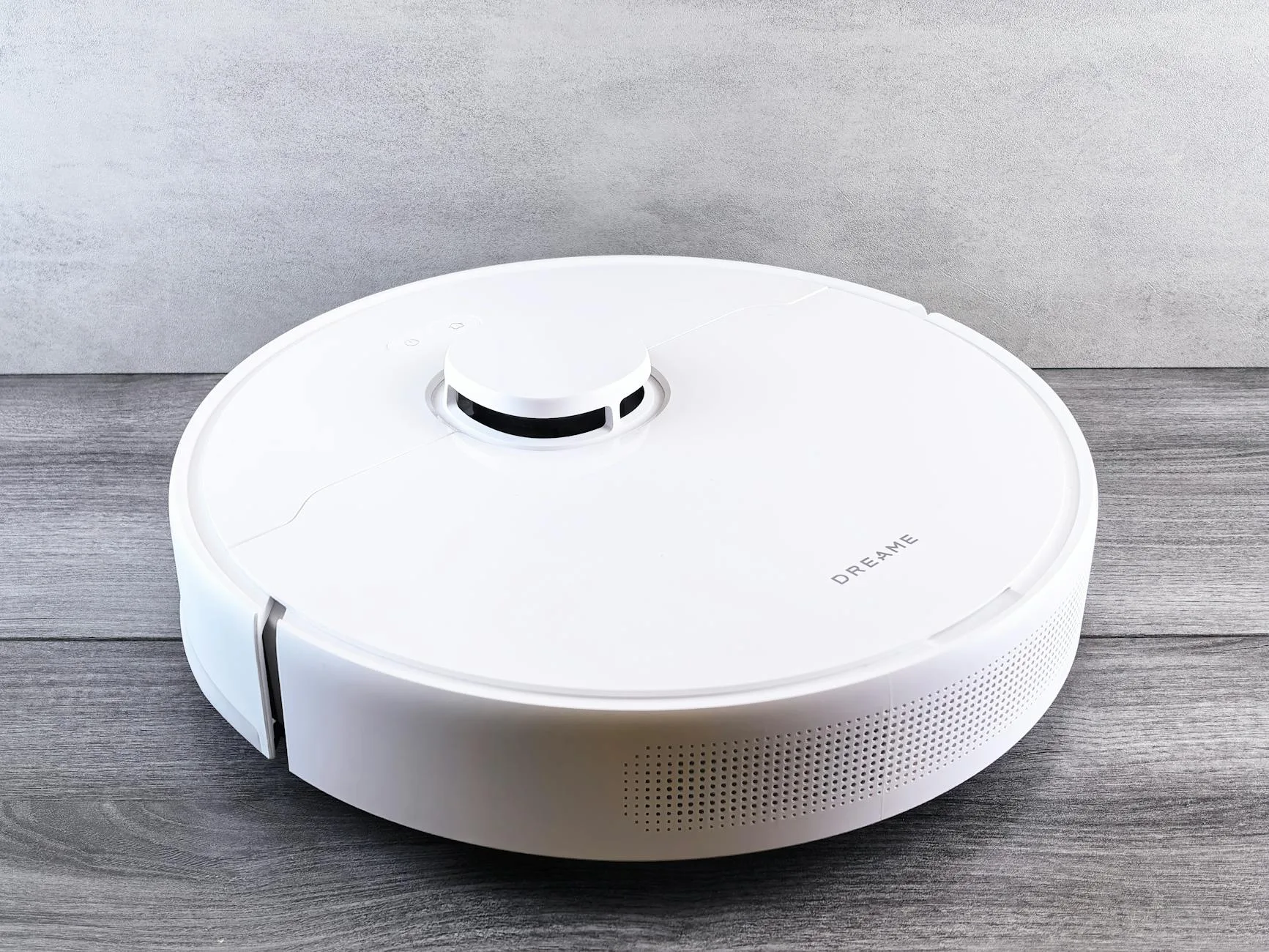
A spinning laser on top of the robot measures distances to walls and furniture thousands of times per second, building a precise map. The robot then cleans in efficient parallel lines within mapped zones.
Advantages: Fast, precise, works in total darkness, creates usable room maps you can edit Disadvantages: Small bump on top of robot (won’t fit under very low furniture), slightly more expensive
Camera-Based (vSLAM)
A camera captures images of your ceiling and walls to triangulate position. Some models add forward-facing cameras for obstacle detection.
Advantages: Flat profile (fits under lower furniture), can identify objects (shoes, cables, pet waste) Disadvantages: Struggles in very dark rooms, potentially privacy concerns with cloud processing
How Maps Improve Over Time
Good robot vacuums learn your home. After 2-3 complete runs, the map stabilises and you can:
- Name rooms and set individual cleaning preferences
- Set no-go zones (around pet bowls, fragile furniture, cable nests)
- Schedule room-specific cleaning (kitchen daily, bedrooms weekly)
- Set virtual walls without physical barriers
This is where smart speaker integration becomes useful — “Hey Google, clean the kitchen” triggers just that zone.
Setting Up Your Robot Vacuum
First-Run Tips
- Walk through your home and pick up anything the robot might eat — cables, socks, small toys, lightweight rugs with tassels
- Place the dock against a wall with 50cm clearance on each side and 1m in front (the robot needs space to align)
- Run the first mapping clean with no furniture rearranged — let it learn the default layout
- After the first run, edit the map in the app — name rooms, add no-go zones, set preferences
- Schedule regular cleans — daily for kitchens/hallways, every other day for living rooms, weekly for bedrooms
Optimising for UK Homes
UK homes have specific challenges for robot vacuums:
- Carpet transitions — most UK homes have thresholds between rooms. Robots handle 1-2cm lips fine; anything higher may need a ramp
- Small rooms — bathrooms, utility rooms, and cloakrooms can confuse robots with limited turning space. Set as no-go if they get stuck
- Stairs — cliff sensors prevent falls, but the robot won’t clean them. You’ll still need a handheld for stairs
- Pet bowls — use no-go zones or physical barriers. Water bowls are the number one reason for “robot made a mess” complaints
Maintenance and Running Costs
Regular Tasks
- Empty the dustbag (self-emptying models): Every 30-60 days depending on home size and pets
- Clean the brush roll: Every 2 weeks. Remove hair tangles with scissors. Takes 2 minutes
- Wash or replace mop pads: Every 1-2 weeks if your model has a mop without auto-wash
- Clean sensors: Monthly wipe with a dry cloth — dusty cliff sensors cause erratic behaviour
- Replace HEPA filter: Every 3-6 months (about £15-25 per filter)
Annual Costs
Expect roughly £50-80 per year in replacement parts:
- Dustbags (self-emptying): £15-25 for a 4-6 month supply
- HEPA filters: £15-25 (replace every 4-6 months)
- Side brushes: £10-15 (replace every 3-6 months)
- Main brush roll: £20-30 (replace annually)
- Mop pads: £15-20 (replace every 3-4 months if applicable)
Still substantially cheaper than professional cleaning or the electricity cost of running a full-size vacuum daily. According to the Energy Saving Trust, a robot vacuum uses roughly £3-5 of electricity per year — negligible compared to their cleaning value.
Robot Vacuum vs Cordless Stick Vacuum
When a Robot Vacuum Wins
- You want floors cleaned daily without effort
- You have mostly flat, single-level living space
- You’re willing to spend more upfront for time savings
- You have pets that shed constantly
- You prefer “set and forget” cleaning
When a Stick Vacuum Wins
- You need to clean stairs, upholstery, car interiors, high shelves
- Your home has many obstacles and tight spaces that confuse robots
- You prefer to see the cleaning happening and direct it yourself
- Budget is limited (good stick vacuums start at £150 vs £300+ for decent robots)
- You need spot-cleaning for spills immediately
The Best Approach: Both
Most households that can afford it end up with both — a robot for daily maintenance and a stick vacuum for weekly deep cleans, stairs, and spot work. The robot handles 80% of the floor cleaning automatically; you handle the 20% it can’t reach.
Frequently Asked Questions
Are robot vacuums worth the money? If your home is mostly single-level with hard floors and/or low-medium pile carpet — yes. A £500+ robot vacuum with self-emptying saves roughly 3-4 hours per week of manual vacuuming for an average family home. Over the robot’s 4-5 year lifespan, that’s 600-800 hours of time reclaimed. Below £300, results are mixed — navigation is worse, suction weaker, and manual intervention more frequent.
How often should a robot vacuum run? Daily or every other day for high-traffic areas (kitchen, hallway, living room). Twice weekly for bedrooms and lower-traffic spaces. Pet owners often run daily across all floors. The beauty of scheduling is that it happens while you’re out — run time doesn’t cost you anything personally.
Can robot vacuums handle pet hair? Modern robots (2024+) with rubber brush rolls handle pet hair well — it doesn’t tangle the way it does on bristle brushes. Self-emptying is strongly recommended for pet owners because the small onboard dustbin fills with hair in a single room. Budget robots with bristle brushes will clog within minutes in heavy-shedding households.
Do robot vacuum mops replace manual mopping? Not entirely. They maintain floors between deep cleans — removing daily dust, light marks, and surface grime. You’ll still need a manual mop quarterly for ground-in dirt, sticky residue, and a proper deep clean. Think of robot mopping as daily maintenance rather than a deep-clean replacement.
Will a robot vacuum work on thick carpet? Models with 5,000+ Pa suction handle medium-pile carpet well. Very thick or shaggy carpet (pile height over 2cm) can bog down budget models and prevent proper suction. High-end models adjust suction automatically on carpet and their rubber brush rolls maintain contact. If your home is mostly thick carpet, prioritise suction power over mopping features.