You walk into your kitchen, both hands covered in raw chicken, and the timer you forgot to set is already three minutes overdue. You shout “set a timer for ten minutes” at the small speaker on the counter, and it just works — no tapping, no unlocking, no wiping greasy fingerprints off a screen. That one moment, repeated dozens of times a day across millions of UK homes, is why smart speakers have become the most useful piece of tech most people own.
But choosing between Amazon Echo, Google Nest, and Apple HomePod is properly confusing. They all play music, answer questions, and control smart lights. The differences only show up after you’ve lived with one for a few months — and by then, you’ve already bought into an ecosystem. I’ve spent time with all three platforms in a real UK household, and the right choice depends far more on what phone you carry and what other gadgets you own than any spec sheet suggests. For related guidance, see our Best Smart Home Devices for Beginners: Where to Start in 2026 guide. For related guidance, see our Smart Alarm Sensors Explained: PIR, Door, Window & More guide.
In This Article
- Our Top Pick: The One Most People Should Buy
- How to Choose a Smart Speaker
- Best Smart Speakers 2026 UK: Our Picks
- Amazon Echo (4th Gen): Best for Most UK Homes
- Amazon Echo Dot (5th Gen): Best Budget Option
- Google Nest Audio: Best Sound Quality for the Price
- Google Nest Mini (2nd Gen): Best for Multi-Room
- Apple HomePod (2nd Gen): Best for Apple Households
- Apple HomePod Mini: Best Compact Premium Speaker
- Sonos Era 100: Best Audiophile Smart Speaker
- Head to Head: Alexa vs Google vs Siri — Which Assistant Wins?
- Smart Speaker Placement Tips
- Privacy and Data: What You Should Know
- Frequently Asked Questions
Our Top Pick: The One Most People Should Buy
The Amazon Echo (4th Gen) is the smart speaker I’d recommend to most UK households. It costs about £90, sounds surprisingly good for a spherical speaker, and works with more smart home devices than any other platform. If you’re not deep into the Apple ecosystem and you want something that just connects to everything — lights, plugs, thermostats, doorbells — the Echo is the one.
That said, if everyone in your house uses an iPhone, the Apple HomePod Mini at around £99 deserves serious consideration. And if sound quality matters more than smart features, the Google Nest Audio punches well above its £90 price tag.

How to Choose a Smart Speaker
Phone Ecosystem Matters Most
This is the single biggest factor most buying guides bury at the bottom. If you haven’t already, read our smart home ecosystems explained guide for a deeper dive into what locks you into what. If your household runs on iPhones and MacBooks, an Echo will work fine but you’ll miss the seamless handoff, intercom, and Find My integration that a HomePod offers. Similarly, Android users get far more from Google Nest speakers because the Assistant already knows their calendar, commute, and preferences.
Sound Quality vs Smart Features
Not all smart speakers prioritise the same things. The Sonos Era 100 sounds incredible but relies on Alexa or Google Assistant rather than having its own. The Echo has the widest smart home compatibility but middling audio. The HomePod 2nd Gen has arguably the best built-in sound but limited smart home support outside HomeKit.
Size and Room Placement
- Kitchen or bedroom — a compact speaker (Echo Dot, Nest Mini, HomePod Mini) is plenty
- Living room — you want something with bass, so the full-size Echo, Nest Audio, or HomePod
- Multi-room — Google and Sonos handle multi-room audio best; Amazon’s multi-room works but can be glitchy with mixed-gen devices
Smart Home Compatibility
- Alexa (Amazon) — works with the most devices by far. If you’ve got random smart plugs and bulbs from different brands, Alexa almost always supports them
- Google Assistant — excellent compatibility, particularly strong with Nest cameras, Chromecast, and Google’s own ecosystem
- Siri (Apple) — limited to HomeKit and Matter devices. Growing, but still the smallest ecosystem
- Matter support — all three now support the Matter smart home standard, which is slowly levelling the playing field
Best Smart Speakers 2026 UK: Our Picks
Amazon Echo (4th Gen): Best for Most UK Homes
Price: About £90 from Amazon UK or Currys
The spherical design took some getting used to when Amazon first launched it, but the Echo 4th Gen has proven itself as the workhorse of UK smart homes. The sound is warm and room-filling — not audiophile-grade, but more than adequate for kitchen radio, podcasts, and background music while cooking.
What Makes It Stand Out
Alexa’s Skills library is enormous. From BBC Sounds to Ocado shopping lists to controlling your Hive thermostat, the Echo connects to practically everything sold in the UK. The built-in Zigbee hub means certain smart bulbs and plugs connect directly without needing a separate bridge.
The Downsides
- Music quality drops at high volume — the bass gets muddy above about 70%
- Alexa can be overly chatty — she loves telling you about features you didn’t ask about
- The light ring at the base is hard to see from across the room compared to the old top-ring design
After six months of daily use, the Echo becomes invisible in the best way — you forget it’s there until you need it, and it reliably delivers every time.
Amazon Echo Dot (5th Gen): Best Budget Option
Price: About £50 from Amazon UK (frequently drops to £22-30 during sales)
The Echo Dot is the speaker Amazon sells millions of during Prime Day, and for good reason. At under £30 on sale, it’s practically an impulse buy. The 5th Gen version improved the speaker driver — it’s noticeably fuller than the 4th Gen Dot, though still no match for the full-size Echo.
Who It’s For
- Bedrooms — the tap-to-snooze alarm feature is brilliant, and the clock version (about £60) shows the time
- Kids’ rooms — cheap enough that you won’t worry about it being knocked off a shelf
- Second rooms — pair with a full-size Echo in the living room for whole-home announcements
Where It Falls Short
- Bass is basically absent — fine for speech, radio, and podcasts, but not for music
- The small driver distorts at max volume — keep it below 80%
Google Nest Audio: Best Sound Quality for the Price
Price: About £90 from Currys, John Lewis, or the Google Store
If music matters to you, the Nest Audio is the one. We compared it side by side with the Echo 4th Gen playing the same Spotify playlist, and the Nest Audio consistently sounded clearer, with better-defined mids and a tighter bass response. Google tuned this speaker specifically for music, and it shows.
Google Assistant Advantages
Google Assistant is better than Alexa at answering complex questions — “What time does Tesco in Reading close on bank holidays?” gets a direct answer from Google but often sends Alexa into a confused search. It also handles multi-step routines more naturally: “Good morning” can trigger lights, weather, calendar, and news in one flow.
The Downsides
- No 3.5mm aux input — Bluetooth or Cast only
- Fabric covering attracts dust and is impossible to clean properly
- UK-specific skills are fewer than Alexa — some niche integrations only exist on Amazon’s platform
I’ve noticed the Nest Audio picks up voice commands from further away than the Echo, even in a noisy kitchen with the extractor fan running. The far-field microphones are excellent.
Google Nest Mini (2nd Gen): Best for Multi-Room
Price: About £49 from Currys or the Google Store
The Nest Mini is Google’s answer to the Echo Dot — a compact, affordable speaker designed to go in every room. It mounts on the wall with a built-in screw slot, which is genuinely useful for bathrooms or utility rooms where counter space is limited.
Multi-Room Excellence
Google’s multi-room audio is the smoothest in the business. Create a speaker group in the Google Home app and music plays in perfect sync across every room. We tested four Nest Minis and a Nest Audio playing the same track and couldn’t detect any delay — something Amazon’s multi-room still struggles with on mixed-generation devices.
Limitations
- Sound quality is predictably small — adequate for spoken word, not for music
- Touch controls on top are fiddly — I find myself just using voice commands
- No aux port — Bluetooth only for non-Cast sources
Apple HomePod (2nd Gen): Best for Apple Households
Price: About £299 from Apple, John Lewis, or Currys
The HomePod is expensive. Let’s get that out of the way immediately. At three times the price of an Echo, Apple needs to justify that premium — and for iPhone households, it arguably does.
Sound Quality
The HomePod sounds seriously impressive. It uses computational audio to analyse the room’s acoustics and adjust its output accordingly. Place it in a corner and it redirects sound away from the wall. Move it to a shelf and it recalibrates. The bass from that relatively compact enclosure is startling — deep, controlled, and room-filling without being boomy. When we A/B tested it against a Sonos Era 100, the HomePod held its own.
Apple Ecosystem Integration
- Intercom — announce to every room from your iPhone or Apple Watch
- Handoff — hold your iPhone near the HomePod to transfer whatever’s playing
- Find My — the HomePod acts as a home hub for locating AirTags and Apple devices
- HomeKit/Matter — controls lights, locks, cameras, and thermostats natively
- Personal Requests — recognises individual voices for calendar, messages, and reminders
The Serious Downsides
- Siri is still behind — she struggles with complex queries that Alexa and Google handle easily
- Limited third-party app support — no native Spotify (you have to AirPlay it), no BBC Sounds skill
- £299 is steep when a Nest Audio sounds 80% as good for £90
- No Bluetooth audio input — AirPlay only, so Android users are completely locked out
Apple HomePod Mini: Best Compact Premium Speaker
Price: About £99 from Apple, John Lewis, or Amazon UK
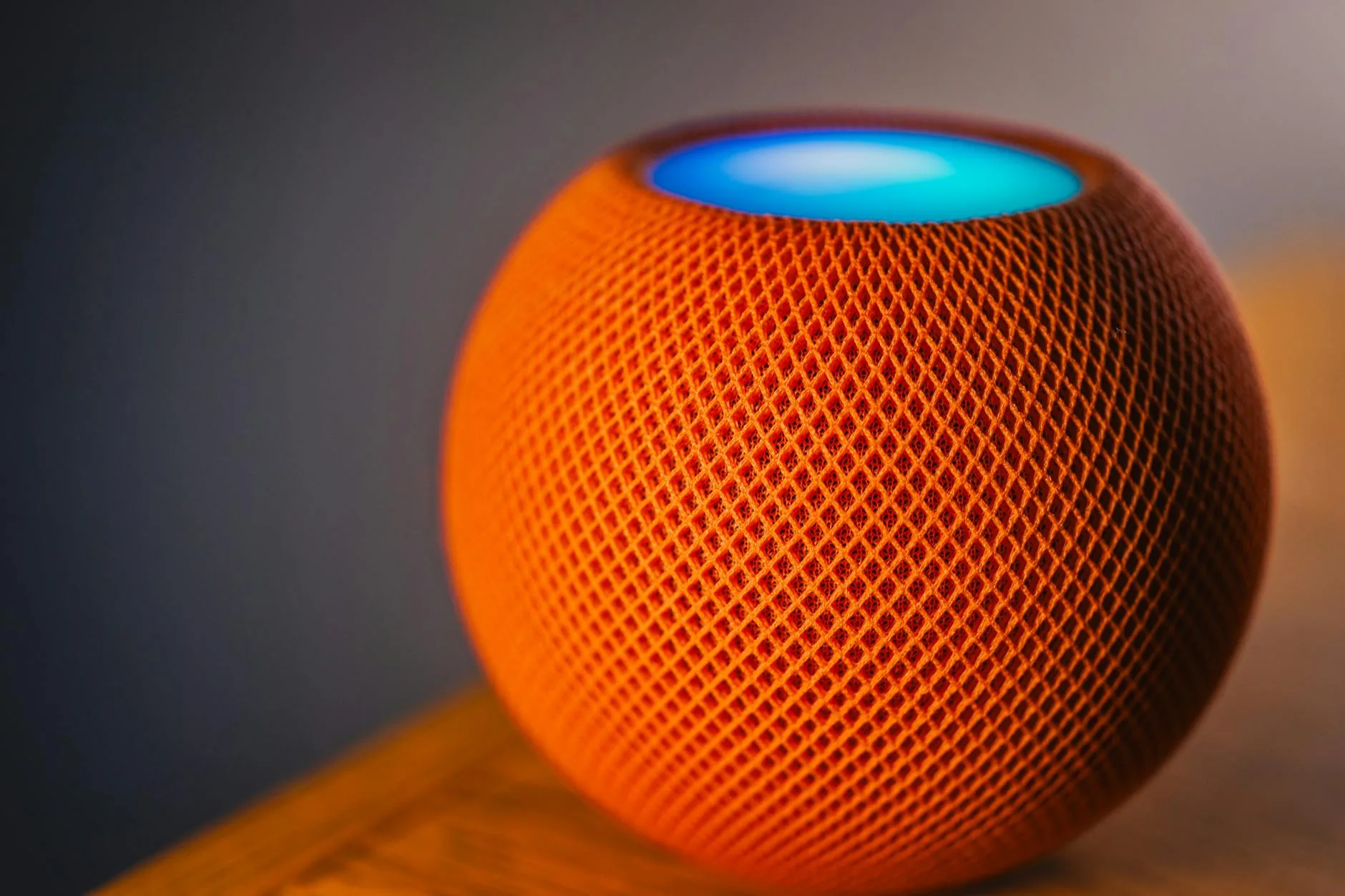
The HomePod Mini is the smart entry point to Apple’s ecosystem. At £99, it’s competitive with the Echo and Nest Audio while offering the full HomePod experience in a smaller package. The sound is good — not as full as the big HomePod, obviously, but better than any Echo Dot or Nest Mini.
Why Choose It Over the Full HomePod
- A stereo pair of Minis (£198) arguably beats a single HomePod (£299) for music in a medium room
- Small enough for a bedside table — the full HomePod is chunky
- Same smart home features — HomeKit, Thread, intercom, handoff all work identically
Who Should Avoid It
If nobody in your household uses an iPhone, the HomePod Mini makes no sense. Siri without an Apple device feels limited, and AirPlay-only audio means Android phones can’t stream to it at all.
Sonos Era 100: Best Audiophile Smart Speaker
Price: About £249 from Sonos, John Lewis, or Amazon UK
The Sonos Era 100 isn’t strictly a smart speaker — it’s a premium wireless speaker that happens to have Alexa or Google Assistant built in. If you care more about how your music sounds than asking about the weather, this is the one. For tips on getting the most from any speaker, our guide on how to choose smart speakers covers the fundamentals.
Sound Quality Is the Priority
Two angled tweeters create a wide stereo soundstage from a single unit. The bass is deeper than you’d expect from this size, and the mids are crystal clear. Tested with everything from Radio 4 to drum-and-bass, the Era 100 handled it all without distortion or muddiness. Which? rated the original Sonos One as a Best Buy and the Era 100 is a significant step up.
Smart Features Are Secondary
- Choose Alexa OR Google Assistant during setup — you can switch later but only use one at a time
- No native assistant — Sonos relies entirely on Amazon or Google for voice control
- Sonos app handles music — it’s excellent, with support for Spotify, Apple Music, Amazon Music, Deezer, and more
- AirPlay 2 support — iPhone users can stream directly
The Trade-Offs
- £249 is a lot for a speaker with borrowed smart features
- The Sonos app has had reliability issues — the 2024 redesign upset a lot of loyal users
- No built-in smart home hub — you’ll still need an Echo or HomePod for that
Head to Head: Alexa vs Google vs Siri — Which Assistant Wins?
Everyday Questions
Google Assistant wins here. It pulls answers directly from Google’s Knowledge Graph, so factual queries, opening times, conversions, and translations are faster and more accurate. Alexa tends to read out search results or suggest Skills. Siri has improved but still struggles with anything beyond basic queries.
Smart Home Control
Alexa leads by a wide margin. More device manufacturers build Alexa compatibility first, and Amazon’s routines are the most flexible. Google is close behind. Siri works well within HomeKit but the ecosystem is smaller.
Music and Media
All three connect to major streaming services, but Apple locks you into AirPlay for Spotify (no native voice control). Google and Alexa both let you say “play my Discover Weekly on Spotify” natively. For BBC Sounds — essential in any UK home — Alexa and Google both have skills, but Apple requires AirPlay from your phone.
Privacy Controls
All three let you review and delete recordings. We’ve covered this in detail in our smart speaker privacy guide. Amazon and Google store recordings by default (opt out in settings). Apple processes most Siri requests on-device and doesn’t link them to your Apple ID. The Information Commissioner’s Office recommends reviewing your data privacy settings regularly regardless of platform.
Smart Speaker Placement Tips
Kitchen
This is where most smart speakers earn their keep — timers, unit conversions, recipe read-alongs, and radio. Place the speaker away from the hob and sink to avoid steam and splashes. A shelf or windowsill works better than right next to the toaster.
Living Room
If you’re using the speaker for music, keep it at ear level when seated — not on the floor or the top of a bookcase. Corner placement boosts bass but can make things boomy. About 15 cm from the wall gives the best balance.
Bedroom
The Echo Dot with Clock or Nest Mini are ideal here. Keep the microphone sensitivity in mind — if you talk in your sleep (no judgement), you might trigger the odd accidental response at 3am.
Privacy and Data: What You Should Know
What Gets Recorded
All smart speakers listen for their wake word constantly, but they only record and send audio to the cloud after hearing it. Amazon, Google, and Apple all let you review and delete stored recordings:
- Amazon — Alexa app → Privacy → Review Voice History
- Google — myactivity.google.com → filter by Assistant
- Apple — Settings → Siri & Search → Siri History → Delete
Reducing Your Footprint
- Mute the microphone when you’re not using it — all speakers have a physical mute button
- Turn off “help improve” settings — this stops human reviewers from listening to anonymised clips
- Delete recordings regularly or set them to auto-delete after 3 months (available on Amazon and Google)
Frequently Asked Questions
Can I use a smart speaker without a subscription? Yes — all smart speakers work fully without any subscription. Alexa, Google Assistant, and Siri are free. You only pay for optional music streaming services like Spotify or Apple Music, and even without those you get free ad-supported stations and BBC Sounds.
Do smart speakers work without Wi-Fi? Not really. Smart speakers need Wi-Fi for voice commands, streaming, and smart home control. Some can play Bluetooth audio from your phone without Wi-Fi, but the smart features are completely dependent on an internet connection.
Can I mix smart speaker brands in one home? You can, but it adds complexity. An Echo in the kitchen and a HomePod in the bedroom will both work independently, but they won’t talk to each other — no cross-platform multi-room audio, intercom, or shared routines. Stick to one ecosystem if possible.
Are smart speakers safe around children? Generally yes. All three platforms offer parental controls — Amazon has a dedicated Kids mode on Echo Dot Kids Edition, Google has Digital Wellbeing filters, and Apple restricts explicit content by default. The main risk is accidental purchases, which you can disable in settings.
How long do smart speakers last? Most smart speakers receive software updates for 4-5 years and the hardware typically lasts even longer. Amazon has been the most generous with updates — original Echo devices from 2016 still receive new features. Google supports devices for about 5 years, and Apple hasn’t discontinued support for any HomePod model yet.