Smart bulb fittings explained simply: B22 is the familiar UK bayonet cap, E27 is a large Edison screw, and GU10 is the short twist-lock fitting used by many mains-voltage spotlights. The code on your old bulb or lamp holder is the safest answer. Check it before comparing brightness, colour features or smart-home platforms, because the three fittings are physically different and are not interchangeable.
In This Article
- B22 vs E27 vs GU10: the quick answer
- Smart bulb fitting comparison
- B22 bayonet smart bulbs
- E27 Edison screw smart bulbs
- GU10 smart spotlights
- Fitting is only the first compatibility check
- How to check and replace a bulb safely
- Smart bulb pre-purchase checklist
- Final answer
- Frequently asked questions
Smart Bulb Fittings Explained: B22 vs E27 vs GU10
Look at the metal or plastic base of the bulb, not its glass shape. A smart bulb can be globe-shaped, candle-shaped or spotlight-shaped while using a particular cap underneath.
How to recognise B22
A B22 cap is a smooth cylinder, roughly 22mm in diameter, with two small pins projecting from opposite sides. You push the bulb into the holder and turn it to lock. It is often called a bayonet cap or BC fitting in the UK.
How to recognise E27
An E27 cap has a clearly threaded metal base, roughly 27mm across. It screws into the holder clockwise and unscrews anticlockwise. It is often called an Edison screw or ES fitting.
How to recognise GU10
A GU10 has two short pins with wider ends. You align the pins with the holder, push gently and twist to lock. GU10 bulbs are usually compact spotlights rather than conventional pear-shaped bulbs.
Philips Hue’s bulb-size guide uses the same cap codes and identifies B22 as a 22mm bayonet, E27 as a screw fitting and GU10 as a two-pin spotlight fitting. Photographing the old bulb’s cap and printed code before shopping is more reliable than guessing from the room or shade.
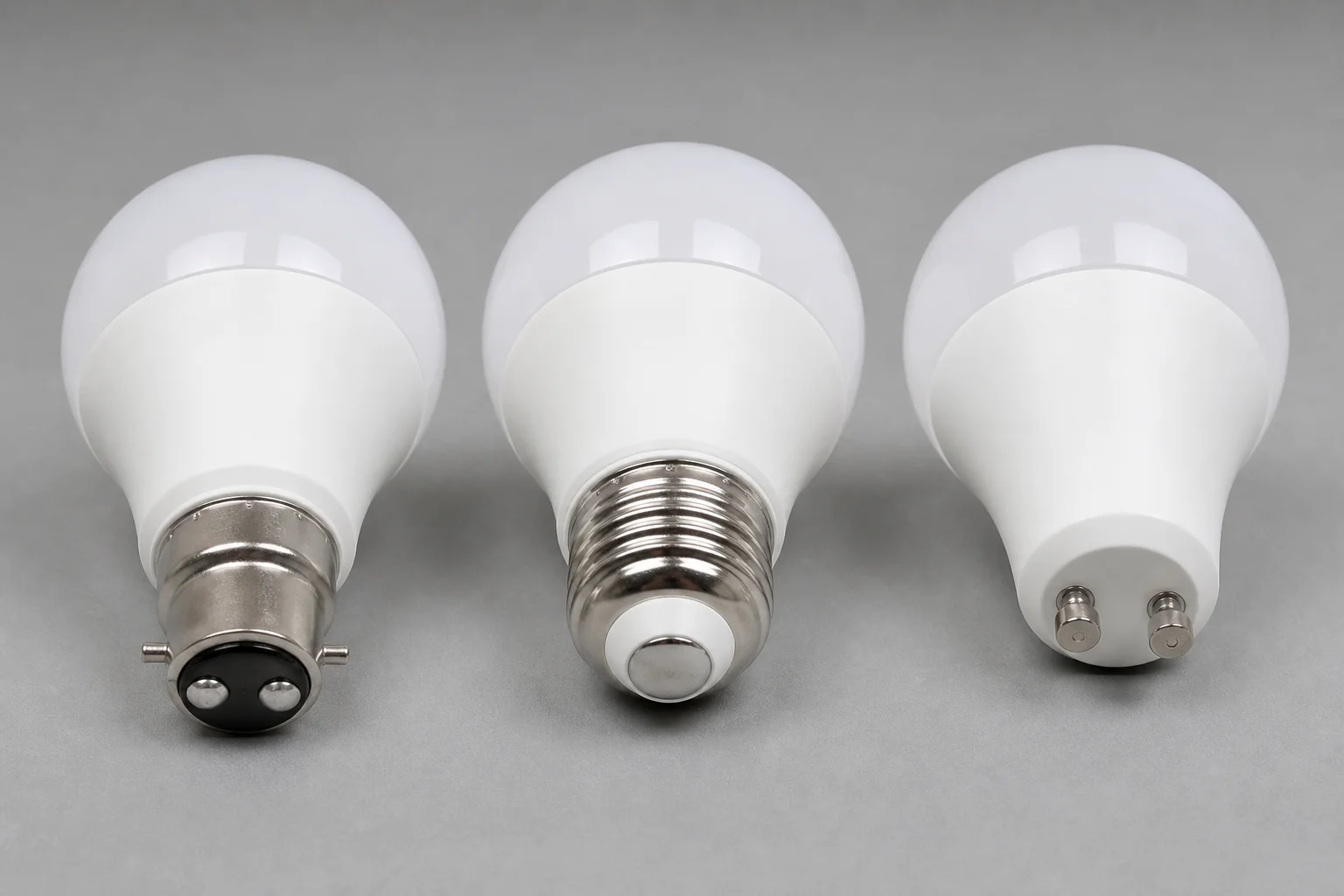
Smart Bulb Fitting Comparison
| Fitting | How it looks | How it locks | Common UK use | Main check |
|---|---|---|---|---|
| B22 | Smooth 22mm cap with two side pins | Push and twist | Pendants, table lamps and floor lamps | Confirm both bayonet pins and shade clearance |
| E27 | Wide threaded 27mm metal cap | Screw in | Table lamps, floor lamps and some pendants | Do not confuse it with the smaller E14 screw |
| GU10 | Two short pins with enlarged ends | Push and quarter-turn | Ceiling spots, track lights and downlights | Check body length, diameter and recessed clearance |
The fitting determines whether the bulb can connect mechanically and electrically to the holder. It does not tell you how bright the bulb is, whether it produces colour, which app it uses or whether it needs a hub. Those are separate specifications.
These are three common smart-bulb fittings, not every lamp cap used in Britain. E14 small Edison screw bulbs, G9 capsules and MR16-style low-voltage lamps also exist. If the old bulb carries another code, match that exact code rather than choosing the closest-looking option.
B22 Bayonet Smart Bulbs
B22 is deeply familiar in UK homes. The “B” denotes a bayonet-style cap and 22 refers to its approximate diameter in millimetres. Two side pins enter slots in the holder; a push and twist secures the bulb against spring contacts.
That action makes B22 easy to distinguish from E27. If the base is smooth with side lugs, it is not an Edison screw. Some packaging uses “B22d”, where the final letter indicates two electrical contacts. For ordinary smart-bulb shopping, B22 and B22d are commonly presented as the bayonet option, but the exact lamp marking remains the authority.
Where B22 works well
B22 smart bulbs are common in UK ceiling pendants, bedside lamps and floor lamps. They are a sensible choice when you want to retain the existing holder and add app control, schedules, voice control or colour scenes.
Before ordering, inspect the space around the old bulb. Smart models can be longer or wider than a basic LED bulb because their radio and control electronics sit inside the body. A B22 cap can fit correctly while the bulb itself protrudes beneath a shallow shade or will not pass through a narrow opening.
Avoid relying on an E27-to-B22 adapter unless the lamp manufacturer explicitly permits it. An adapter adds height, changes the bulb position and can create a poor fit inside a shade. The clean answer is normally to buy the right B22 smart bulb.
If you are choosing between models after confirming the cap, our guide to smart-bulb lumens, colour temperature and compatibility covers the next decisions.
E27 Edison Screw Smart Bulbs
E27 is the larger Edison screw fitting. The “E” refers to Edison screw and 27 is the approximate cap diameter in millimetres. Its spiral thread makes identification straightforward: it screws into a matching threaded holder rather than pushing and twisting into bayonet slots.
E27 is widely used across European lighting products and appears in many UK table lamps, floor lamps and pendants. It is also one of the broadest smart-bulb categories, with white, tunable-white and colour models available from several ecosystems. The current Philips Hue smart-bulb catalogue, for example, treats E27, B22 and GU10 as separate fitting filters while listing brightness and bulb shape independently.
Do not confuse E27 with E14
E14 is also threaded but noticeably narrower. It is common in candle bulbs, chandeliers and smaller decorative lamps. An E14 bulb will not fit an E27 holder, and an E27 bulb will not fit an E14 holder. Read the code printed on the old bulb or holder instead of estimating by eye.
E27 bulbs also come in different outer shapes. A large globe may use the right cap but be too wide for the shade; a long smart bulb may sit awkwardly in a compact lamp. Check the product’s overall length and maximum diameter against the available space.
For a first multi-bulb system, the fitting question comes before ecosystem choice. Our smart-lighting starter-kit guide separates confirmed B22, E27 and GU10 options so you do not accidentally buy a good system with the wrong caps.
GU10 Smart Spotlights
GU10 is the common mains-voltage twist-lock spotlight fitting. Its two short pins have wider tips that engage with keyhole-shaped slots. Push the bulb into the holder and turn it to lock; do not try to screw it like an E27 or force it straight into place.
GU10 smart bulbs suit ceiling spotlights, track fittings and some directional lamps. They concentrate light into a beam, so beam angle matters alongside lumens. A narrower beam creates a tighter pool of light; a wider beam spreads light more evenly across a room.
Recessed fittings need extra checks
GU10 smart models can be taller than basic LED or older halogen spotlights. Measure the available depth and compare the full dimensions, not merely the cap. In a recessed downlight, also check:
- whether the fitting is enclosed or open;
- the maximum permitted lamp size and wattage;
- whether the front retaining ring can close around the bulb;
- whether the fitting has enough ventilation for the specified lamp;
- whether the existing wall control is a conventional switch or a dimmer.
Do not assume every two-pin spotlight is GU10. MR16-style lamps often use two thin straight pins and can form part of a low-voltage system. A GU10’s pins are shorter and have enlarged ends for the twist lock. If the code is missing or the holder is unclear, stop and ask a qualified electrician rather than experimenting.
Smart GU10s can create effective room zones and scenes, but replacing a ceiling full of lamps costs more than starting with one or two table lamps. Our guide to setting up smart lights in your home explains pairing, naming and grouping once the physical fit is settled.
Fitting Is Only the First Compatibility Check
Matching B22, E27 or GU10 prevents the most immediate buying mistake, but it does not make every smart bulb suitable. Work through the following checks independently.
Bulb dimensions and shade clearance
Compare overall height and widest diameter with the old bulb and the available space. Smart electronics can make the neck or body larger. Enclosed luminaires may also have lamp restrictions, so follow both the lamp and bulb manufacturers’ instructions.
Brightness and light quality
Lumens describe light output; the cap does not. A B22 and E27 bulb can have the same brightness, while different GU10s can produce quite different output and beam spread. Colour temperature describes the appearance of white light: lower values are warmer and higher values cooler. Choose these for the room, not for the fitting.
Existing dimmer switches
Many smart bulbs are designed for a normal on/off supply and perform their dimming electronically through an app, remote or voice assistant. A traditional wall dimmer can cause flicker, buzzing, unreliable pairing or damage unless the exact combination is approved. Do not assume a “dimmable” smart bulb is compatible with an old rotary dimmer. Check both manufacturers’ guidance; have a qualified electrician handle any switch or fixed-wiring change.
Wireless protocol and hub requirements
Wi-Fi bulbs usually connect directly to the router, while Zigbee bulbs commonly use a bridge or compatible hub. Matter describes interoperability, but you still need the required controller and network technology for the exact product. Our Zigbee, Z-Wave and Wi-Fi lighting guide explains the network trade-offs.
Platform and feature support
Confirm support for your chosen Alexa, Apple Home, Google Home or SmartThings setup. Even when a bulb can be added through Matter, brand-specific effects and advanced scenes may remain in the manufacturer’s app. Physical fit and smart-platform compatibility are two different gates.
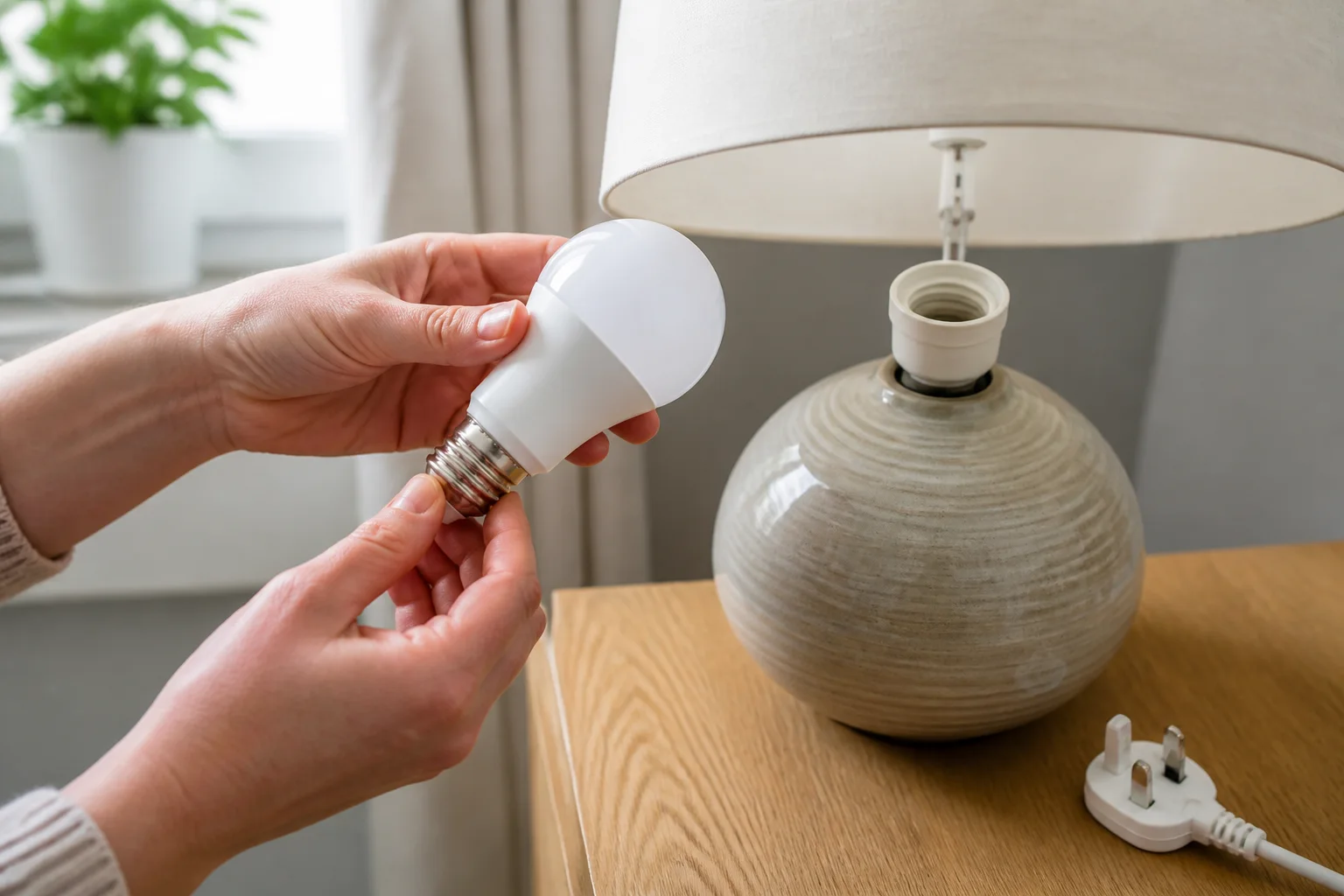
How to Check and Replace a Bulb Safely
This guide covers like-for-like bulb identification and replacement only. It does not cover changing a holder, dimmer, transformer, ceiling fitting or fixed wiring.
- Turn the light off and isolate the supply. For a portable lamp, unplug it. For a fixed light, use the appropriate isolation method and do not rely solely on an app command.
- Let the old bulb cool. Spotlights in particular can remain hot after use.
- Use stable access. Use a suitable stepladder on a level surface and avoid overreaching.
- Remove the bulb without forcing it. B22 pushes and twists, E27 unscrews, and GU10 pushes and quarter-turns. If it is stuck or the holder moves, stop.
- Read and photograph the markings. Record the cap code, voltage, wattage restrictions and bulb dimensions.
- Fit only a confirmed match. Follow the lamp and smart-bulb instructions, restore power, then pair the bulb in the app.
Do not touch exposed wiring or dismantle a light fitting to identify it. A cracked holder, scorch marks, loose fitting, repeated flickering or an uncertain low-voltage spotlight system warrants a qualified electrician. Smart control is not electrical isolation: a bulb that appears off in an app can still have a live supply.
After installation, keep the wall supply on if the smart bulb needs to remain reachable. Use the app, voice control, schedules or a compatible wireless button for everyday control. Our scenes and schedules guide helps turn a correctly fitted bulb into a useful routine.
Smart Bulb Pre-Purchase Checklist
Take one minute to record the details below before buying:
- Fitting code: B22, E27, GU10 or another exact marking.
- Quantity: count every bulb in the room rather than assuming a multipack covers it.
- Maximum dimensions: note the space inside the shade or recessed fitting.
- Brightness: compare lumens with the bulb you are replacing.
- White range and colour: decide whether fixed warm white, tunable white or full colour is useful.
- Controls: identify any wall dimmer and check exact compatibility.
- Network: confirm Wi-Fi band, bridge, Thread border router or other hub requirements.
- Platform: check the exact bulb against the smart-home system you actually use.
For accent lighting rather than a replaceable lamp, a strip may solve the job more cleanly. See our smart lightstrip guide before trying to make a conventional bulb illuminate shelving or the back of a television.
Final Answer
Choose B22 when the existing bulb has a smooth bayonet cap with two side pins. Choose E27 when it has a wide threaded screw cap. Choose GU10 when it is a spotlight with two short, enlarged twist-lock pins.
Then check the bulb’s physical size, lumens, colour temperature, dimmer restrictions, wireless protocol and platform support. The cap gets the bulb into the holder; it does not guarantee that the bulb suits the room or your smart-home system.
When in doubt, copy the exact code from the old bulb. If identification would require touching wiring, altering a holder or investigating a transformer, leave that work to a qualified electrician.
Frequently Asked Questions
Is B22 the standard light-bulb fitting in the UK? B22 bayonet caps are common in UK homes, but they are not universal. E27, E14, GU10 and other fittings are also widely used, so check the existing bulb or holder.
Can I put an E27 smart bulb in a B22 socket? No, not directly. E27 screws into a threaded holder, while B22 uses side pins and a bayonet lock. Buying the correct cap is normally better than adding an adapter.
Are all two-pin spotlight bulbs GU10? No. GU10 has short pins with enlarged ends and uses a twist lock. Other two-pin lamps, including MR16-style bulbs, can use different supplies and holders.
Does the bulb fitting affect brightness? The fitting itself does not determine brightness. Compare lumens, beam angle for spotlights, colour temperature and the luminaire’s restrictions separately.
Can smart bulbs be used with a dimmer switch? Only when the bulb and dimmer combination is explicitly supported. Many smart bulbs expect a normal full-power supply and are dimmed through software or a compatible wireless control.
How do I know whether a smart bulb needs a hub? Check the exact model specification. Wi-Fi bulbs often work without a dedicated bridge, while Zigbee bulbs commonly require a compatible hub. Some Matter bulbs also need suitable controller hardware.