Smart bulbs are the gateway drug of smart home. Smart switches are what you actually want a year in. The problem with bulbs is everyone in the house has to use the app to control them — hit the wall switch and the bulb loses power entirely, making the “smart” part useless. Smart switches fix this: normal wall behaviour for anyone in the room, full app control when you want it, integrations with routines and automations. Swap out three wall switches and your whole house gets smarter in a way that doesn’t break your family’s muscle memory.
After installing seven different smart switches across my Henley house — hallways, landings, bedrooms, kitchen under-cabinet lighting — the best smart light switch for most UK households is the Shelly 1 Mini Gen3 at £18. It fits inside the existing wall box behind your existing switch, you keep the switch you already have, and it works with Alexa, Google Home, HomeKit, Matter, and literally everything else. For people who want a full visible upgrade, Lightwave L22 2-Gang Smart Dimmer at £80 is the best UK-aesthetic option. On a budget: TP-Link Tapo S220 at £24 works fine if you just want Wi-Fi simplicity. For related guidance, see our Best Smart Light Strips 2026 UK: Accent & Under-Cabinet guide.
In This Article
- Smart Switch vs Smart Bulb vs Smart Plug
- UK Wiring Basics: What You Need to Know Before Buying
- Smart Switch Types: In-Wall vs Modular vs Relay
- Best Overall: Shelly 1 Mini Gen3
- Best UK Aesthetic: Lightwave L22 2-Gang
- Best Budget: TP-Link Tapo S220
- Best Matter-Compatible: Aqara H1
- Best Dimmer: Philips Hue Wall Switch
- Best for Landings & 2-Way: Meross Smart Wi-Fi 3-Way
- Installation: When to Call a Qualified Electrician
- Integrations, Routines, and Automations
- Frequently Asked Questions
Smart Switch vs Smart Bulb vs Smart Plug
Three ways to make your lighting smart. Each has a distinct use case.
Smart Bulbs
- How they work: bulb itself contains the smart electronics; replaces your existing bulb
- Installation: screw in and use the app, no electrical work
- Cost per light: £15-£50 per bulb (Philips Hue expensive, generic Wi-Fi cheaper)
- Pros: easiest install, colour-changing options, per-bulb control
- Cons: physical wall switch must stay ON, bulb loses smart features if power is cut
Good for: bedside lamps, mood lighting, a few specific fixtures.
Bad for: overhead lights where everyone expects the wall switch to work normally.
Smart Plugs
- How they work: plug between the wall socket and your lamp; controls mains power to the lamp
- Installation: plug in
- Cost per lamp: £8-£20 per plug
- Pros: cheapest option for plug-in lamps, control any lamp regardless of bulb type
- Cons: only works for plug-in lamps, not ceiling lights. Physical wall switch still controls it normally.
Good for: floor lamps, table lamps, Christmas tree lights.
Bad for: anything wired into the ceiling or wall.
Smart Switches
- How they work: replaces the wall switch OR fits inside the wall box behind the existing switch
- Installation: electrical work required (competent DIY or qualified electrician)
- Cost per switch: £15-£80 depending on type and brand
- Pros: the switch itself IS smart — physical use works normally, app control too, integrates with routines
- Cons: requires electrical work, slightly higher upfront cost per light circuit
Good for: ceiling lights, hallway lights, staircase lighting, most “architectural” lighting in a house.
Which Should You Buy?
- 1-2 lamps, low commitment: smart plugs
- Mood/accent lighting in a bedroom or lounge: smart bulbs
- Whole-house lighting that your family needs to use normally: smart switches (this article)
For most UK households investing in smart home, the answer after year 1 is smart switches. Bulbs and plugs are a good start but they don’t scale — 20 rooms of smart bulbs costs £500+ and breaks the moment someone hits a wall switch.
UK Wiring Basics: What You Need to Know Before Buying
UK wiring is different from US/EU wiring in ways that matter for smart switches. Some models made for US 120V/single-wire systems DON’T work in UK homes.
Neutral Wire Required?
- Most smart switches need a neutral wire in the wall box. UK homes wired before 1970 often don’t have neutrals at switch positions (only live, earth, and switched live).
- Check your switch box by turning off power at the consumer unit and removing the faceplate. Look for a blue wire tucked into a neutral block.
- No neutral? You need a switch that works without one. Shelly, Aqara, and Philips Hue have “no-neutral” models. Lightwave, TP-Link Tapo, and most Chinese-brand switches require neutral.
Live Loop Configuration
Older UK houses often have “loop-in ceiling rose” wiring where the switched live returns to the bulb from a single two-core cable. This works fine for standard switches but can confuse some smart relays that expect a neutral-and-live at the switch. Check compatibility before ordering.
LED Compatibility
- Smart dimmers (not simple on/off switches) can struggle with LED bulbs that don’t have matched dimmer compatibility
- LED bulb flicker is the most common issue — cheap dimmer + cheap LED = flickering that appears after installation
- Fix: use dimmer-rated LED bulbs (Philips, Osram, TCP labelled “dimmable LED”)
- Budget £5-£10 per bulb extra for proper dimmable LEDs across a dimmable circuit
For general UK electrical safety guidance, Electrical Safety First’s safety-around-the-home section is worth reading before any consumer-unit or wall-box work.
Fuse and Circuit Requirements
- Standard UK lighting circuit: 6A fuse or MCB
- Smart switch load rating: most smart switches handle 2-10A (600W-2,400W)
- LED lighting uses tiny current (4-12W per bulb) — almost never an issue
- Incandescent/halogen still in use? Check switch wattage rating before installing
Most smart switches are fine for modern LED lighting circuits. If you’re still on halogen downlights, upgrading to LED first saves power AND lets you use any smart switch without wattage issues.
Smart Switch Types: In-Wall vs Modular vs Relay
Three different physical form factors.
In-Wall Relay Modules (Recommended for Most)
- Form: tiny module (40mm cubed or smaller) that fits inside the wall box behind your existing switch
- You keep: the existing wall switch — the smart module is invisible
- Examples: Shelly 1 Mini, Aqara Single Switch, Lightwave micromodule
- Pros: cheapest per switch, works with existing switch aesthetics, no wall box replacement
- Cons: requires the switch box to have enough depth (25mm minimum behind the faceplate)
Most UK switch boxes are 25-30mm deep. If your walls are dot-and-dab plasterboard the box might be less deep — measure before ordering.
Full Smart Switch Replacements
- Form: replaces the entire wall switch with a new faceplate containing touch/button/slider controls
- Examples: Lightwave L22, Aqara H1, Tuya-based Wi-Fi switches
- Pros: modern aesthetic, often with touch or gesture control, no need for the old switch
- Cons: more expensive, must match your switch plate aesthetic to the rest of the house
Good for whole-house renovation where you’re replacing faceplates anyway. Cosmetic upgrade.
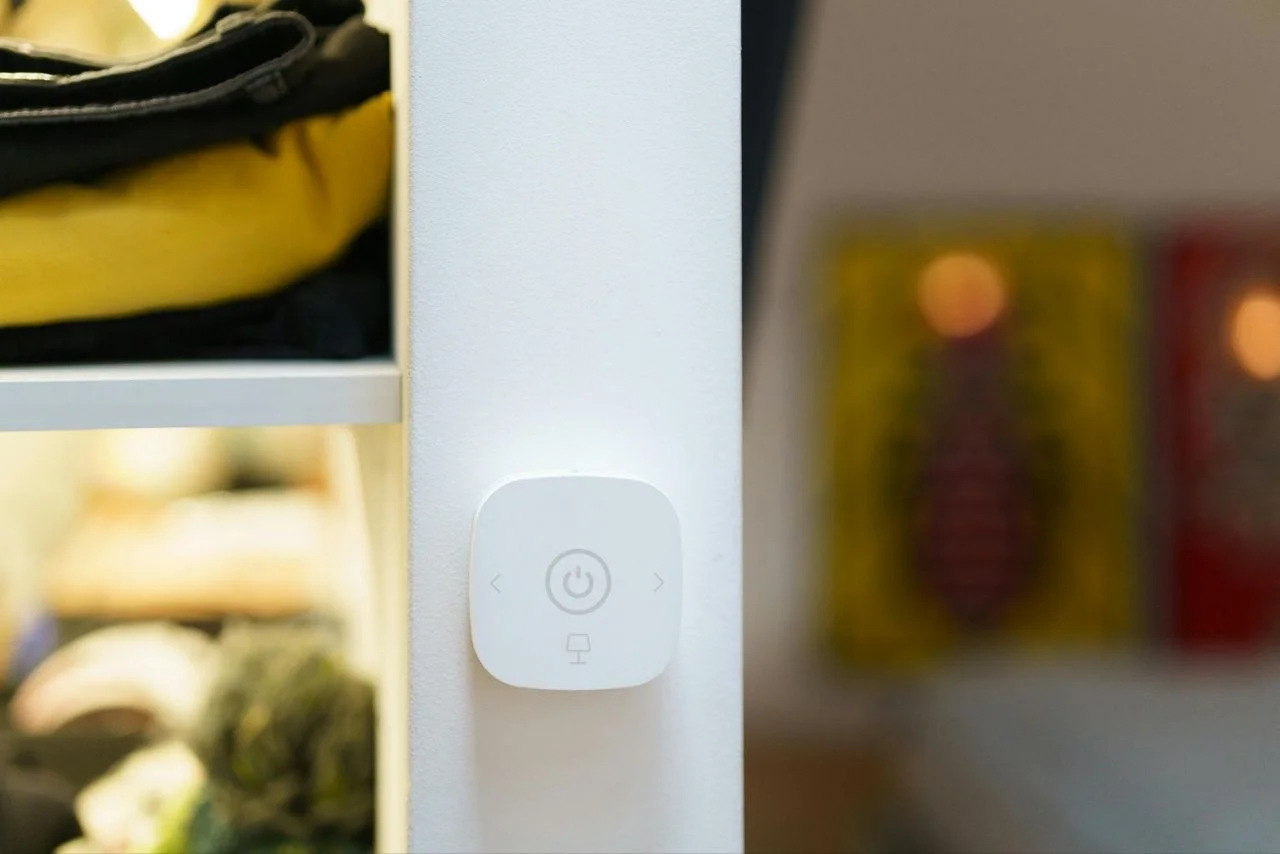
Battery Wall Controllers
- Form: not wired into mains — battery-powered controller that sits on or replaces a wall switch face
- Examples: Philips Hue Wall Switch, Aqara Wireless Mini Switch
- Pros: no wiring at all, works anywhere you can mount a block on a wall
- Cons: relies on Zigbee/Wi-Fi mesh (not direct mains control), bulb must have smart receiver
Good for adding control to rooms without rewiring. Not a replacement for proper smart switches in most setups.
Best Overall: Shelly 1 Mini Gen3
Price: £18-£24
Type: In-wall relay module
Protocol: Wi-Fi + Matter
Neutral: required for some models
The Shelly 1 Mini Gen3 is the smart home enthusiast’s favourite switch, and for good reason. It’s tiny (27×32×14mm), cheap, and works with literally every smart home ecosystem: Alexa, Google Home, HomeKit (via home hub), Matter, and direct HTTP APIs for anyone who wants to hack it. Shelly are Bulgarian-made and the quality has been consistent for 8+ years.
Why It’s the Best Starting Point
- Fits in any UK wall box. The 14mm depth means it fits even in shallower dot-and-dab boxes where thicker modules don’t.
- No proprietary app needed. Works with Alexa/Google/HomeKit natively. You don’t have to install the Shelly app at all if you don’t want to.
- Local control. Direct Wi-Fi + LAN control — works even when your internet is down. Most Wi-Fi smart switches fail without internet.
- Open API. If you use Home Assistant, Node-RED, or any smart home hub, Shelly integrates directly without cloud dependencies.
- Matter support on Gen3 (introduced 2024) — future-proof across smart home platforms.
- £18. It’s just cheap.
Installation Notes
- Requires neutral wire in the switch box for the 1 Mini (no-neutral version exists but costs more)
- Physical switch type: works with existing momentary or toggle switches
- Fits behind the existing switch — you don’t replace the visible faceplate
- Power limit: 8A / 1,800W — enough for any normal lighting circuit
Caveats
- Install requires competent DIY or an electrician. This is not “screw in a bulb” easy.
- Wi-Fi only — no Zigbee option. Your Wi-Fi mesh needs to reach the switch location.
- No physical dimmer button. For dimming, use the Shelly Dimmer 2 (different product, £35).
Where to Buy
Direct from shelly.com (ships from Europe, 5-7 days), or through UK distributors like Vesternet (3-5 days). Amazon UK has occasional stock but markup is £5-£10 over Shelly direct.
Best UK Aesthetic: Lightwave L22 2-Gang
Price: £80-£120
Type: Full switch replacement
Protocol: 868MHz proprietary + Wi-Fi bridge
Lightwave is the British brand making premium smart switches designed specifically for UK wall aesthetics. The L22 is their flagship 2-gang switch with a brushed stainless steel finish that looks like it belongs in a modern UK home, not a tech catalogue.
What Makes It Premium
- Proper UK switch aesthetic. Fits in with Crabtree, Schneider, MK, and other UK switch brands — not the American-looking white rectangular paddles of Lutron or Leviton.
- No neutral required on the 2-gang version — fits older UK homes
- Dimmer support built in — properly smooth dimming with compatible LEDs
- Ecosystem integration: works with Alexa, Google, HomeKit, and Lightwave’s own app
- Made in Britain — Lightwave are based in Yorkshire, proper UK manufacture
Lightwave Ecosystem Bonus
If you’re buying more than 2-3 Lightwave devices, the wider ecosystem is worth considering: Lightwave also make socket outlets, blinds controllers, heating thermostats, and motion sensors. The app-based integration across these is more polished than cobbling together Shelly + Aqara + TP-Link.
Downsides
- Price. At £80 per 2-gang switch, replacing 10 switches in a house costs £800 vs £180 for 10 Shellys.
- Needs Lightwave Link hub for full integration (£79 one-off). Basic Wi-Fi alone not sufficient.
- Proprietary 868MHz radio — means you’re in the Lightwave walled garden unless using Matter-over-Thread bridges (coming 2026 per Lightwave’s roadmap).
Best Budget: TP-Link Tapo S220
Price: £22-£28
Type: Full switch replacement
Protocol: Wi-Fi 2.4GHz
Neutral: required
TP-Link’s Tapo line is the budget smart-switch answer. The S220 is a 2-gang Wi-Fi smart switch that costs under £30 and just works. Not a premium finish, not a tiny module, but functional and cheap.
What Works
- Dirt cheap. £22 at Argos and Amazon, frequent sales down to £18.
- Standard Wi-Fi — no hub needed, connects to your home network directly
- Works with Alexa and Google — no HomeKit support but most users don’t care
- Tapo app is well-polished — really good user experience
What’s Less Good
- Plastic finish. Looks cheap next to metal switch plates elsewhere in the house.
- 2-gang form factor is wide. Doesn’t fit in single-gang cutouts without adapter.
- Wi-Fi only — if your router dies, the switches go offline. No Zigbee fallback.
- No dimmer version in the Tapo UK range yet (rumoured for 2026).
For people starting out on a budget, the S220 does 90% of what Lightwave does for a third of the price. Don’t compare the aesthetics directly or you’ll be disappointed, but functionally it’s solid.
For context on how different smart home protocols compare, see our Zigbee vs Z-Wave vs Wi-Fi lighting protocols guide and for broader ecosystem choice, smart home ecosystems explained.
Best Matter-Compatible: Aqara H1
Price: £45-£65
Type: Full switch replacement
Protocol: Zigbee 3.0 + Matter via Aqara hub
If you’re committing to a Matter-based smart home future (and Apple, Google, and Amazon all agree Matter is the standard), the Aqara H1 is the best switch on the market. Aqara are Chinese-made but the H1 specifically is well-built with proper UK certification, and the Matter integration via their M3 hub works reliably.
Why Matter Matters
- Works across ecosystems without proprietary lock-in — the same switch works identically in Apple HomeKit, Google Home, and Amazon Alexa
- Local control. Matter runs on local network when possible; no dependency on manufacturer cloud for basic functions
- Future-proof. As Matter adoption grows, devices will stay functional even if manufacturers discontinue or update their apps
Aqara H1 Specifics
- Zigbee 3.0 radio — same mesh standard as Philips Hue, reliable signal, low power
- No neutral version available (H1 No Neutral model)
- Dimmer option (H1-Dim) for dimmable circuits
- Standard UK dimensions — fits UK single and double-gang boxes
Setup Complexity
Aqara requires their M3 hub (~£60) OR you need a Matter controller like Apple TV 4K or Google Nest Hub with Thread radio. Not plug-and-play for non-technical users; once set up, works reliably.
Best Dimmer: Philips Hue Wall Switch
Price: £89-£119
Type: Battery-powered wall controller
Protocol: Zigbee via Philips Hue bridge
Not a “smart switch” in the wired sense — the Philips Hue Wall Switch is a battery-powered controller that mounts on your wall and controls Hue-compatible bulbs via the Hue bridge. The dimmer function is the best on the market — smooth 1-100% dimming with compatible Hue bulbs, no flicker.
When It’s the Right Choice
- You already have Hue bulbs installed across a circuit
- Want a wireless controller to add to rooms where no previous switch existed
- Need reliable dimming with Hue bulbs specifically
- Don’t want to do electrical work — this mounts with adhesive or screws, no wiring
Downsides
- Requires Hue bulbs — doesn’t work standalone
- Battery replacement every 2-3 years (uses a CR2450)
- Premium price — at £89+ it’s expensive for what’s essentially a remote control
- Hue ecosystem lock-in — only works with Philips Hue products
Good for Hue users. Not for anyone starting fresh — the ecosystem cost adds up.
Best for Landings & 2-Way: Meross Smart Wi-Fi 3-Way
Price: £39-£49
Type: Full switch replacement
Works with 2-way and 3-way switching
UK landings and stairways often have 2-way switching — a switch at the top of the stairs AND at the bottom, both controlling the same light. Most smart switches don’t handle 2-way wiring natively; you either have to replace both switches with smart ones (doubling cost) or reconfigure the circuit.
The Meross Smart Wi-Fi 3-Way Switch is designed for this scenario. You install one Meross switch plus a Meross “passive” 2-way partner (included in the kit). The Meross handles smart control; the partner switch works like a normal switch at the other end. Much cheaper than installing two smart switches.
Also Handles
- 3-way switching (3 switches controlling one light, common in landings with upper/lower/middle switches)
- Intermediate switching circuits with some reconfiguration
- Mixed smart/dumb usage where only one switch position needs smart control
For staircase and landing applications, this is often the best value in the whole smart switch market. For single-switch applications, buy a Shelly or Aqara instead.
Our smart home security guide pairs well with smart switches — each additional Wi-Fi device is a potential entry point, and smart switches especially deserve decent network segmentation.
Installation: When to Call a Qualified Electrician
Let’s be blunt: changing a light switch in the UK is at the boundary of DIY legal and DIY-but-risky.
Legally DIY-able (Most of England and Wales)
Replacing a light switch (like-for-like, same circuit, no wiring changes) is permitted DIY under UK building regulations, provided:
- The work is “non-notifiable” (swapping a faulty switch, installing a smart version)
- You isolate at the consumer unit (not just flip the switch off) before starting
- Work meets BS 7671 electrical standards
- You can test continuity and polarity before re-energising
This is what most smart switch installations are — a direct replacement of existing wiring.
Qualified Electrician Required
You MUST use a Part P registered electrician (or get the work inspected by Building Control) for:
- New circuits (e.g. running new cable to a fixture that didn’t exist before)
- Consumer unit changes (upgrading fuses, adding RCDs)
- Special locations (bathroom switches, outdoor installations within 3m of earth)
- Any work in Scotland above basic like-for-like (Scottish electrical regs are stricter)
The UK Government’s Approved Document P (electrical safety in dwellings) covers what’s notifiable vs non-notifiable. For anything unclear, the safe answer is to hire an electrician at £80-£150 for a single switch installation.
Basic Installation Steps (If DIY-able)
- Isolate the circuit at the consumer unit — flip the specific breaker off. Tag it so nobody flips it back.
- Verify dead with a voltage tester before touching any wires.
- Remove existing switch faceplate — usually 2 screws on the faceplate.
- Document existing wiring — take photos before disconnecting anything. Label wires if the colour code is ambiguous.
- Wire the new switch per the manufacturer instructions — match live to live, neutral to neutral, switched-live to load.
- Tuck wires back neatly — no sharp bends, no exposed copper outside terminals.
- Restore faceplate and turn circuit back on.
- Test the switch before app setup.
Every smart switch brand has its own quirks. Shelly’s wiring diagram is different from Lightwave’s. Read the specific instructions for YOUR model before starting.
Integrations, Routines, and Automations
This is where smart switches become useful beyond “turn light on/off via phone.”
Routines That Actually Work
- Sunset auto-on — outdoor and entryway lights turn on at sunset, off at bedtime. Works in every smart home platform.
- Arrival detection — hallway light on when your phone gets within 50m of home. Apple HomeKit + Shelly handles this best.
- Wake-up routine — bedroom light gradually brightens over 15 minutes before alarm. Hue dimmers excel here.
- Away simulation — random lights on/off when you’re on holiday, deterring burglars. Useful security feature.
Integration Tips
- Use the Matter standard if your devices support it — avoids vendor lock-in
- Avoid manufacturer-specific hubs unless you’re committing to that brand long-term
- Home Assistant is the power-user option — runs on a Raspberry Pi, supports everything, steep learning curve
- Apple HomeKit is the simplest for iPhone households — reliable, private, no cloud dependency
For specific setup examples, see our smart lighting scenes and schedules guide which covers practical routine building.
Frequently Asked Questions
Do I need an electrician to install a smart switch? For like-for-like replacement in England and Wales, no — it’s permitted DIY. For anything involving new wiring, consumer unit changes, or bathrooms, yes. If unsure, pay an electrician £80-£150 for peace of mind.
Will smart switches work with my existing LED bulbs? On/off smart switches: yes, with virtually any bulb. Dimmer smart switches: only with dimmable LED bulbs (labelled “dimmable” on the box). Non-dimmable LEDs will flicker or fail to dim on a smart dimmer.
What happens to my lights if the Wi-Fi goes down? Smart switches with local control (Shelly, Aqara via hub) continue working normally via the physical switch; app control is offline until Wi-Fi returns. Cloud-only switches (some Tapo models) lose ALL function when your internet is down.
Can smart switches work with two-way (staircase) switching? Some yes, some no. Meross make a specific 3-way smart switch kit. Shelly and Aqara can be wired for 2-way with some rewiring. Check the manufacturer spec sheet for “2-way” or “3-way” compatibility before buying.
Are smart switches a security risk? Any Wi-Fi-connected device is a potential entry point. Use WPA3 Wi-Fi, put smart devices on a separate VLAN if your router supports it, and keep firmware updated. Local-control devices (Shelly) are lower risk than cloud-dependent ones.
Do smart switches cost much more to run? Standby power is typically 0.3-1W per switch — about 30p per year. Negligible. The smart home’s total power draw from 10-20 switches is £3-£8 per year in standby electricity.