So you want to make your home a bit smarter, but every time you start researching it, you’re hit with a wall of jargon — Zigbee, Thread, Matter, hubs, bridges, ecosystems — and you end up closing the browser and making a cup of tea instead. Fair enough. The smart home world has a habit of making simple things sound complicated. Even something like alarm sensors is simpler than the jargon suggests. This guide is for people who want practical, useful smart home tech without needing an IT degree to set it up. We’ll cover what actually works, what’s worth your money in 2026 (including security cameras), and the order in which to buy things so you don’t end up with a drawer full of incompatible gadgets.
Pick Your Ecosystem First (This Matters More Than Any Individual Product)
Before buying a single smart device, you need to make one decision that will shape everything else: which voice assistant ecosystem are you going to use? This is the foundation of your smart home, and switching later is painful.
In the UK in 2026, there are three realistic options:
- Amazon Alexa — The most popular in the UK by a significant margin, according to Statista market data. The widest device compatibility, the most affordable speakers (Echo range), and the most natural voice interaction for everyday tasks. If you don’t have strong opinions and just want things to work, Alexa is the safe choice.
- Google Home — Slightly better at answering general knowledge questions and integrates beautifully with Android phones, Google Calendar, and YouTube. The Nest speaker range is excellent but slightly pricier than Echo equivalents. Best for households already deep in Google’s ecosystem.
- Apple HomeKit — The most privacy-focused option with the slickest interface if you’re an iPhone household. Smaller device selection and Apple’s premium pricing mean it’s the most expensive route, but the integration with iPhones, iPads, and Apple Watch is seamless. The HomePod and HomePod Mini are the speaker options here.
The good news is that Matter — a universal smart home standard backed by all three companies — has matured notably in 2026. An increasing number of devices now work across all three ecosystems, reducing lock-in. But your voice assistant is still the primary way you’ll interact with your smart home daily, so choose the one that suits your household’s phones and habits.
After building smart home setups from scratch in several UK homes, our honest recommendation for most UK beginners: start with Amazon Alexa. The Echo Dot costs under £50, works with practically everything, and you can always add Matter-compatible devices later if you decide to switch ecosystems.
The Best Starting Point: A Smart Speaker
Your first smart home purchase should be a smart speaker. It’s the central point that ties everything else together, and it’s immediately useful even before you add any other smart devices — you can use it for music, timers, weather, news, and hands-free calling from day one.
Amazon Echo Dot (5th Gen)
At around £45, the Echo Dot remains the best entry point into the smart home world. The 5th generation model has noticeably better sound than its predecessors — it won’t replace a proper speaker for music, but it’s perfectly decent for casual listening, radio, podcasts, and audiobooks. It’s small enough to fit on a bedside table, kitchen shelf, or windowsill without dominating the space.
For a first smart speaker, we’d suggest putting it in the kitchen. It’s where you’ll use voice commands most naturally — setting timers while cooking, checking recipes, adding things to shopping lists, listening to the radio while doing dishes. Alexa’s integration with Amazon Shopping also means you can reorder everyday items by voice, which is either wonderfully convenient or dangerously easy depending on your self-control.
Amazon Echo (4th Gen)
If you want better sound quality, the full-size Echo at around £90 offers a significant step up. The sound is room-filling and genuinely enjoyable for music, with enough bass to make pop and rock sound decent. It also includes a built-in Zigbee hub and Thread border router, which means it can directly connect to compatible smart devices without needing separate bridges — saving money and reducing complexity as your setup grows.
Google Nest Mini / Google Nest Audio
For Google households, the Nest Mini (around £40) serves the same role as the Echo Dot, while the Nest Audio (around £80) is the full-size alternative. Google’s voice recognition is arguably marginally better than Alexa’s for understanding natural speech, and Google Assistant excels at multi-part questions (“What time does Tesco in Reading close today?” rather than having to ask in stages).
Apple HomePod Mini
For Apple households, the HomePod Mini at around £99 is the starting point. Sound quality is impressive for its size, and Siri integration with iPhone means you can hand off calls, find your phone, and interact with your Apple devices naturally. The full-size HomePod (around £299) offers exceptional audio quality but is firmly aimed at people who value music reproduction highly.
Smart Lighting: The Most Noticeable Upgrade
After your smart speaker, lighting is where most people see the biggest quality-of-life improvement. Being able to turn lights on and off by voice, set schedules, and adjust brightness and colour temperature transforms how your home feels — and it’s surprisingly affordable to get started.
You have two main approaches:
- Smart bulbs — Replace your existing bulbs with Wi-Fi or Zigbee connected ones. No rewiring needed. Start from around £10 per bulb for basic white, or £25-40 per bulb for colour-changing options. Best brands: Philips Hue (premium, extremely reliable), IKEA TRÅDFRI (budget-friendly), TP-Link Tapo (good mid-range).
- Smart switches — Replace your wall light switches with smart versions. More expensive upfront (£25-50 per switch) and requires basic electrical work, but means every bulb controlled by that switch becomes smart, and your existing light switches still work normally. Best for rooms with multiple bulbs on one circuit.
For beginners, we recommend starting with smart bulbs. Specifically, the Philips Hue Starter Kit (around £130 for the bridge and three bulbs) remains the gold standard. Yes, it’s pricier than budget alternatives, but Hue is rock-solid reliable, has the widest app support, and the Bridge means your bulbs don’t clog up your Wi-Fi network — a genuine issue when you start accumulating smart devices.
If budget is tight, IKEA’s TRÅDFRI bulbs start at just £7 each and work with all three voice assistants. They lack the colour range of Hue, but for basic white and warm-white dimming, they’re excellent value. The IKEA DIRIGERA hub (around £50) adds local control and more automation options.
Start with just one or two rooms. The living room and bedroom are the highest-impact choices — being able to dim your living room lights for a film without getting up, or gradually brighten your bedroom lights as a gentle morning alarm, really improves daily life.
Smart Plugs: The Easiest Win
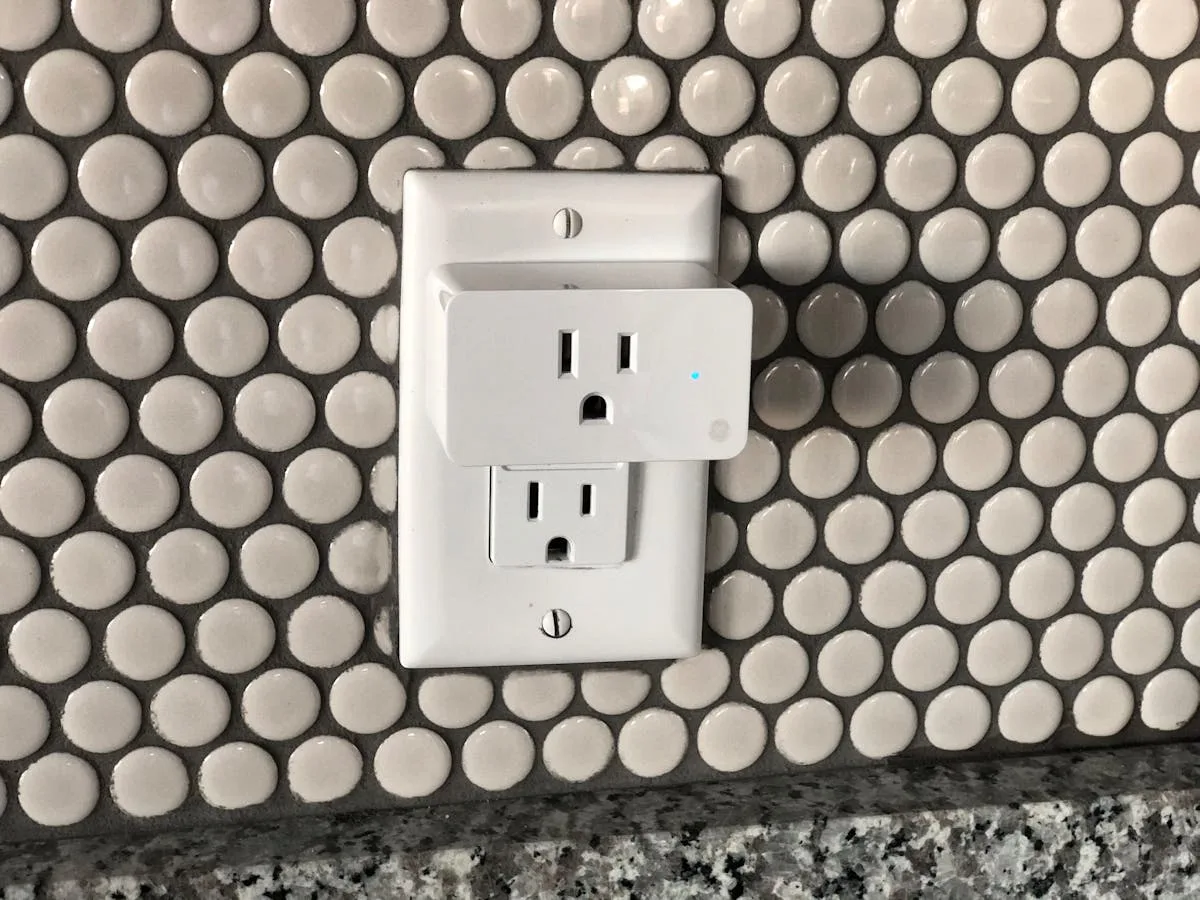
Smart plugs are perhaps the most underappreciated smart home device. They cost around £10-15 each, take ten seconds to set up, and can make any “dumb” device smart. Plug a lamp into a smart plug, and you can turn it on and off by voice or schedule. Plug in a fan heater, and you can have it warm the bathroom before you get up. Plug in a Christmas tree, and schedule it to turn on at dusk automatically. For related guidance, see our Philips Hue vs LIFX vs Nanoleaf: Smart Lighting Brands Compared guide.
The TP-Link Tapo P110 is our pick for the best smart plug in the UK. At around £12, it offers energy monitoring (so you can see exactly how much each device is costing you), works with Alexa, Google, and Apple HomeKit via Matter, and has a compact design that doesn’t block the adjacent socket — a common problem with bulkier smart plugs.
Buy a four-pack to start. You’ll quickly find uses for all of them, and having spares means you can experiment without additional purchases. Common uses beyond the obvious include:
- Table lamps — Voice control without smart bulbs
- Electric blankets — Schedule to warm up 20 minutes before bedtime
- Phone chargers — Set to turn off after a few hours to preserve battery health
- Hair straighteners — Peace of mind that they’re definitely off when you’ve left the house
- Dehumidifiers — Schedule to run during off-peak electricity hours
Smart Heating: Where the Real Savings Are
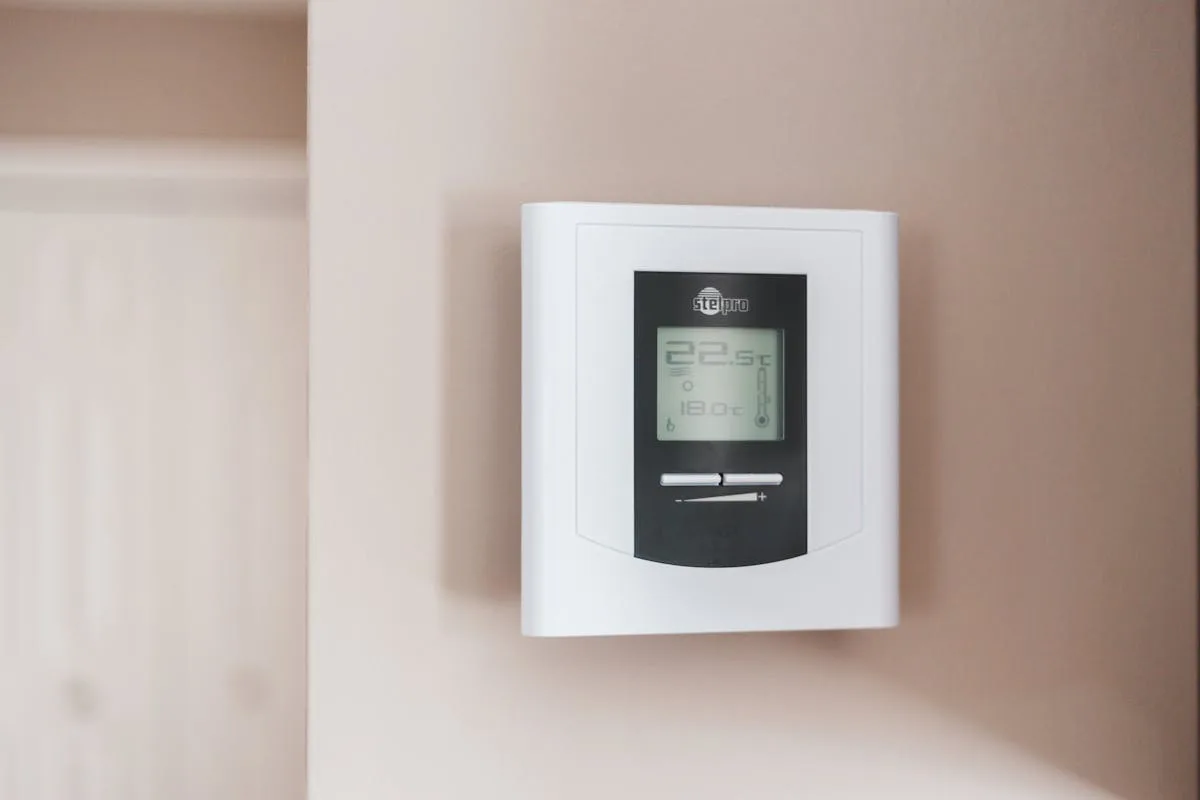
This is where the smart home stops being a novelty and starts truly paying for itself. UK households spend an average of £1,200-1,500 per year on heating, and a smart thermostat can realistically reduce that by 10-25% depending on your current setup and habits.
The big names in the UK market are:
- Hive Active Heating — The most popular smart thermostat in the UK. Well-designed app, professional installation included in the price (around £200), and it works with most UK boiler systems. Hive’s multi-zone option lets you control different rooms independently using smart TRVs (thermostatic radiator valves).
- Google Nest Learning Thermostat — Learns your schedule and preferences over time, adjusting automatically. Beautiful hardware design. Around £220. Works well but the learning algorithm takes 1-2 weeks to calibrate, during which it can be a bit erratic.
- Tado Smart Thermostat — Excels at geofencing (detecting when everyone’s left the house and turning heating down automatically) and room-by-room control via their smart TRVs. Starter kit around £170. The subscription model for some advanced features is annoying but not essential.
For most UK homes, we’d recommend Hive as the starting point. The included professional installation removes the stress of DIY wiring, the app is simple, and British Gas’s support infrastructure is well-established if anything goes wrong. The ability to boost the heating from bed on a cold morning, or turn it off remotely when you realise you’ll be out later than planned, quickly becomes indispensable. For related guidance, see our Best Smart Locks 2026 UK: Keypad, Fingerprint & App-Controlled guide.
A Smart Doorbell: See Who’s There
A video doorbell is one of those smart home devices that non-tech people immediately understand the value of. See who’s at the door without getting up. Talk to delivery drivers while you’re at work. Get alerts when someone approaches your property. It’s practical, it’s useful, and it provides a genuine sense of security.
The Ring Video Doorbell (around £90 for the battery version) remains the most popular choice in the UK and integrates naturally with Alexa — when someone rings, your Echo devices announce it and you can see the video feed on an Echo Show or Fire TV. The battery version installs in minutes with no wiring needed, though the wired version (around £50 more) offers continuous power and more reliable motion detection.
Google Nest Doorbell (Battery) at around £150 is the alternative for Google households, with the advantage of on-device processing that can distinguish between people, packages, animals, and vehicles without a subscription. Ring’s equivalent intelligence requires the Ring Protect plan at £3.49/month or £34.99/year.
A word on subscriptions: both Ring and Nest offer cloud storage plans for recorded footage. Without a subscription, you get live viewing and real-time alerts but limited or no video history. Whether you need the subscription depends on your use case — for most people, the free tier is sufficient for everyday convenience, with the paid tier mainly useful for security review purposes. For related guidance, see our Best Smart Alarm Keypads and Panic Buttons 2026 guide.
What to Avoid as a Beginner
Just as important as knowing what to buy is knowing what to skip — at least initially. The smart home market is full of products that sound exciting but create more frustration than value for beginners.
- Smart locks — They’re getting better, but reliability issues, battery anxiety, and the consequences of a malfunction (being locked out of your own home) make them a poor early purchase. Add these once you’re comfortable with the technology.
- Robot vacuums (as a “smart home” device) — Great products, but their smart home integration is usually limited to starting/stopping via voice. Buy one because you want a robot vacuum, not because it makes your home “smarter.”
- Complex automation platforms (Home Assistant, etc.) — Incredibly powerful but have a steep learning curve. Start with the built-in automations in Alexa/Google/HomeKit and upgrade later if you want more control.
- Ultra-cheap no-name devices — That £5 smart bulb on Amazon might work fine, or it might connect to a Chinese server that gets shut down in six months, bricking the product. Stick to established brands or at least check reviews thoroughly.
The Recommended Buying Order for Beginners
Based on our experience helping dozens of people set up their first smart homes, here’s the order we’d suggest buying things in. Each step builds on the last, and each is useful on its own even if you stop there.
- Step 1: Smart speaker — Your control centre. Amazon Echo Dot or Google Nest Mini. Budget: £40-50.
- Step 2: Smart plugs (x4) — Instant smartness for existing devices. TP-Link Tapo P110 four-pack. Budget: £40-50.
- Step 3: Smart lighting (one room) — Start with the living room. Philips Hue starter kit or IKEA TRÅDFRI. Budget: £50-130.
- Step 4: Smart thermostat — Where you’ll save actual money. Hive or Tado. Budget: £170-220.
- Step 5: Video doorbell — Security and convenience. Ring or Nest. Budget: £90-150.
- Step 6: Expand lighting and add extras — More rooms, colour bulbs, light strips, additional speakers. Budget: varies.
Following this order, you can have a actually useful smart home for under £500, with each purchase delivering immediate value rather than sitting idle waiting for other components.
Frequently Asked Questions
What smart home devices should I buy first UK? Start with a smart speaker (Amazon Echo Dot, around £50) to establish your ecosystem, then add smart bulbs (Philips Hue Starter Kit, around £130). These two purchases give you voice-controlled lighting throughout your home and a foundation to build on.
Is Alexa or Google Home better in the UK? Amazon Alexa has the widest device compatibility and is the most popular choice in the UK. Google Home offers better integration with Google services and arguably better voice recognition. For most beginners, Alexa is the safer starting point due to its broader ecosystem support.
How much does it cost to set up a smart home UK? A basic smart home setup costs around £200-300, covering a smart speaker, starter lighting kit, and a smart plug or two. A more complete setup with security cameras, sensors, and whole-home lighting can run to £500-800. Start small and expand gradually rather than buying everything at once.
Do smart home devices work without internet? Most smart home devices require an internet connection for full functionality, including voice control and remote access. Some devices like Philips Hue bulbs can work locally via their bridge for basic on/off control, but cloud features and voice assistants need Wi-Fi. A reliable broadband connection is essential.
Are smart home devices safe from hackers UK? Reputable brands like Philips, Ring, and Amazon implement strong encryption and regular security updates. To stay safe, always use two-factor authentication, keep firmware updated, use a strong unique Wi-Fi password, and buy from established brands rather than unbranded budget alternatives.
The Bottom Line
The smart home in 2026 is more accessible, more reliable, and more really useful than it’s ever been. The arrival of Matter as a universal standard means you’re less likely to get locked into one ecosystem, and the maturity of voice assistants means most things work reliably out of the box.
Start small. A smart speaker and a few smart plugs is all you need to understand whether the smart home lifestyle suits you. If it clicks (and for most people, it does), you can expand gradually based on what adds the most value to your daily routine. If it doesn’t, you’re out less than £100 and you’ve still got a decent kitchen speaker.
The biggest mistake beginners make isn’t buying the wrong device — it’s buying too many things at once, getting overwhelmed by setup, and shoving half of them in a drawer. Go one step at a time, get each device working properly before adding the next, and within a month or two you’ll wonder how you ever managed without voice-controlled lights and a thermostat you can adjust from the sofa. Welcome to 2026. Your home’s about to get a lot more helpful.